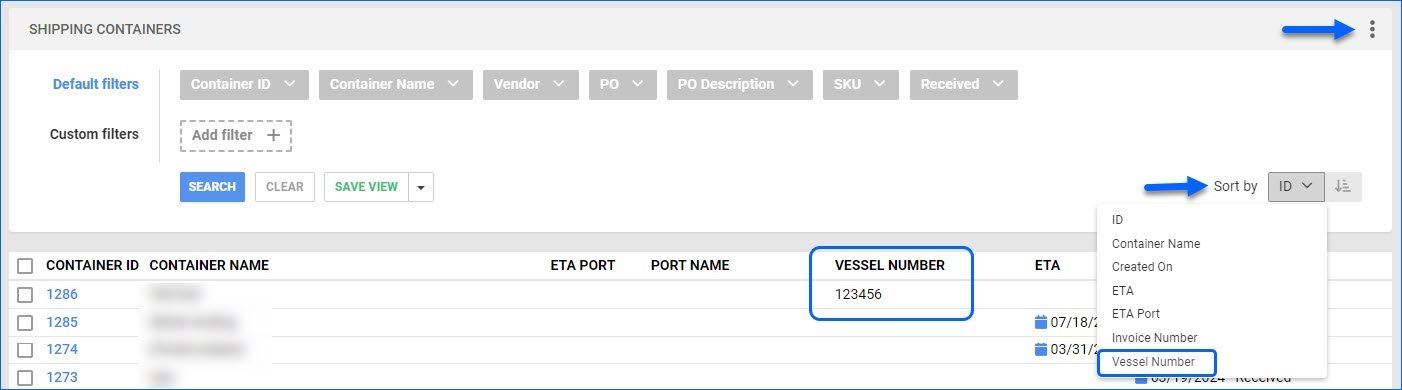
We have added Vessel Number as an optional column on the Manage Shipping Containers page. Additionally, you can sort the results grid by that column.
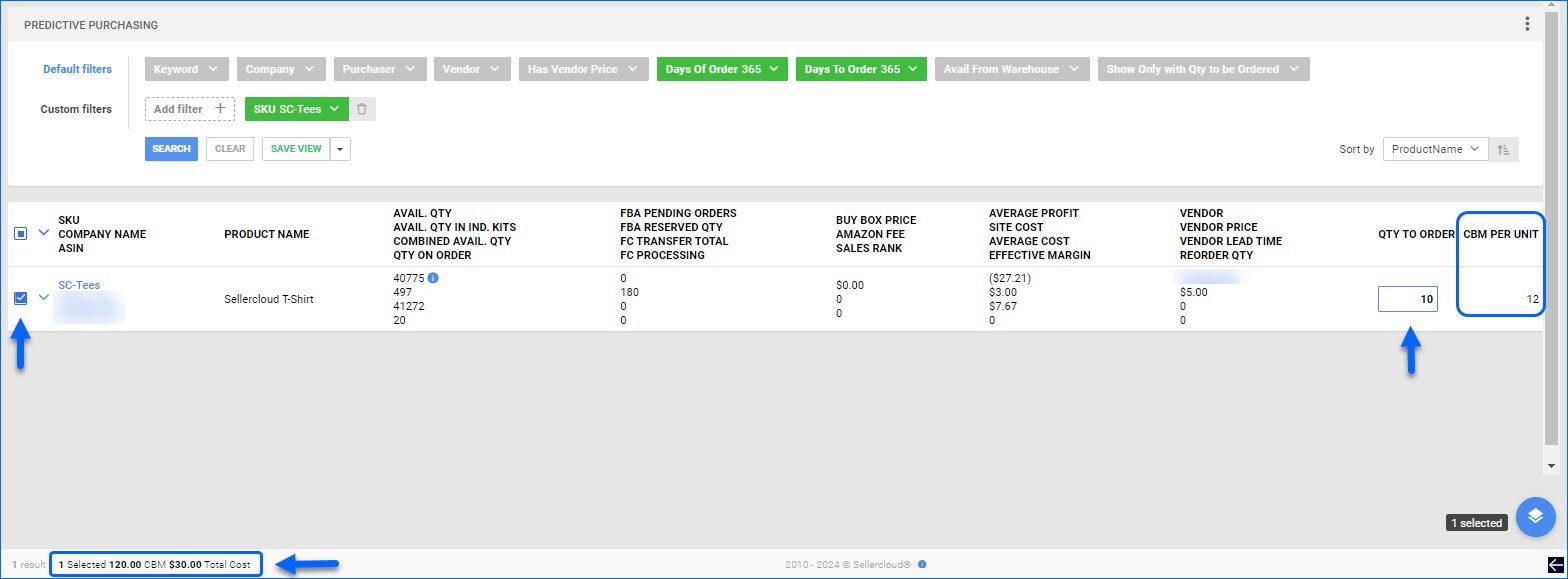
Predictive Purchasing: Selected Totals and CBM
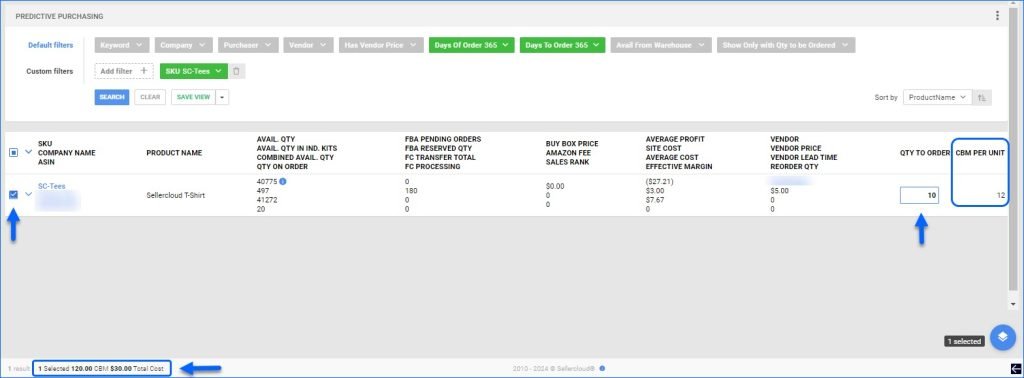
The Predictive Purchasing Report and Predictive FBA Restocking now display the Total Cost of selected products at the bottom of the page. This is calculated by multiplying the per-unit cost and quantity and then adding the row totals together.
Additionally, if the Display Additional CBM and Weight Information Client Setting is enabled:
- The Predictive Purchasing page will also calculate and display the Total CBM (Cubic Meters) for the selected products that have CBM Per Unit configured on their Purchasing tab.
- The CBM Per Unit becomes available as an optional column on the Predictive Purchasing page.
- The Add to PO Modal displays CBM Per Unit, Total CBM on each row, and Total CBM for all the products.
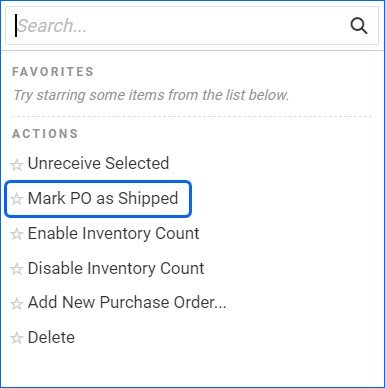
Mark PO as Shipped
We have added the Mark PO as Shipped bulk action to the Manage Purchase Orders page. It allows you to manually change the shipping status of several POs at once.
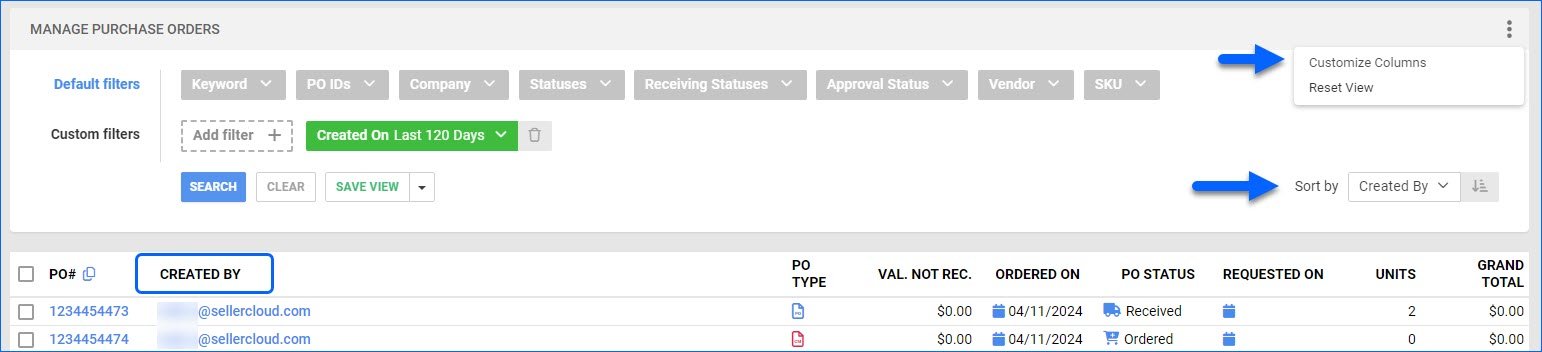
PO Created By
We have added Created By as an optional grid column to the Manage Purchase Orders page. You can now see which user created the PO and sort the results by their emails.
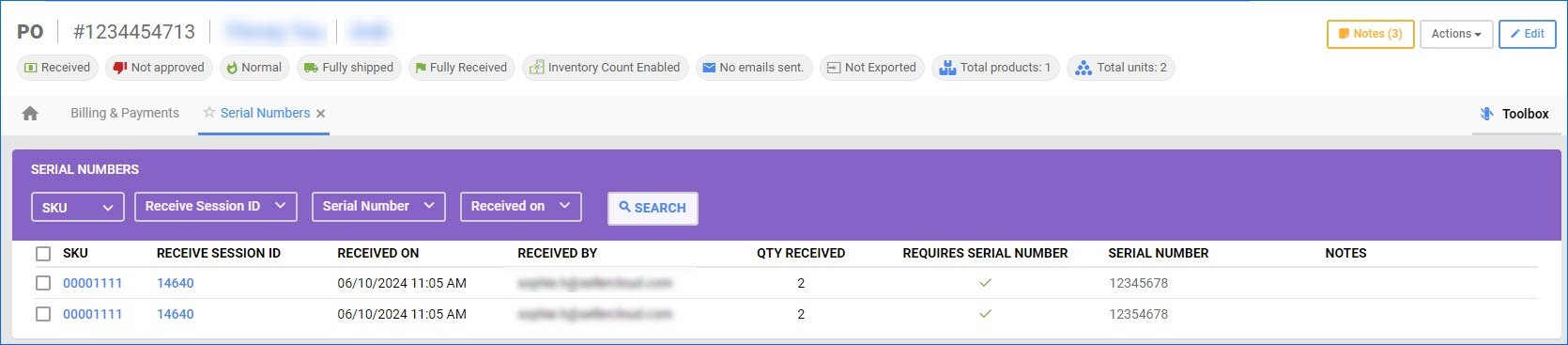
Use Simple Grid For PO Serial Numbers Toolbox
We have created a new Client Setting: Use Simple Grid For PO Serial Numbers Toolbox. It controls the view of the Serial Numbers panel in the PO Toolbox. When the setting is enabled, you will see a simplified but enhanced version of the default grid that loads faster and has better filtering capabilities. We recommend using this functionality if your Purchase Orders tend to contain a large number of products and Serial Numbers.
Filter by Vendor SKU
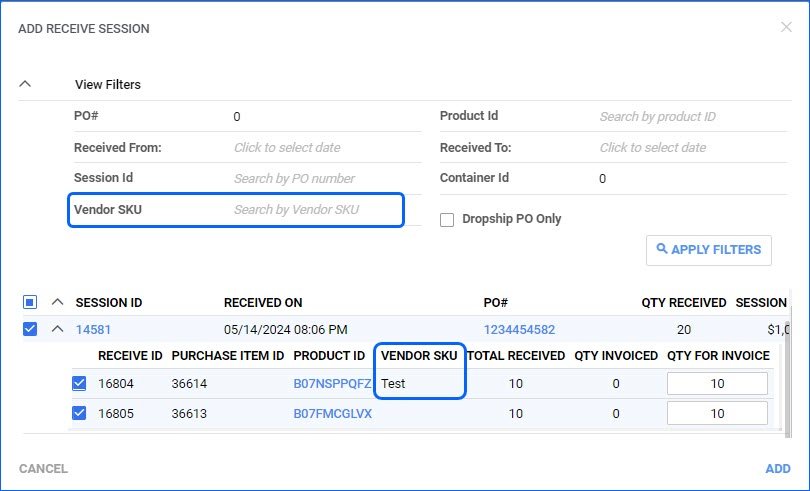
We have added a Vendor SKU filter to the Add Receive Session modal for the Vendor Invoice Reconciliation workflow. This makes it easier to identify the correct sessions if the Vendor SKUs don’t always match your Sellercloud Product IDs. Additionally, the Vendor SKU column was added in the same modal, as well as in the Existing Sessions panel on the Invoice Details page.
Arrange PO Custom Columns
It is now possible to request that the Custom Columns of your Purchase Orders be arranged in the order that best suits your workflow. 
Custom Columns for Vendors and Shipping Containers
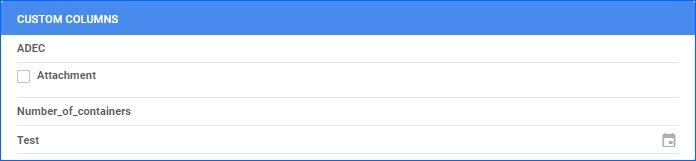
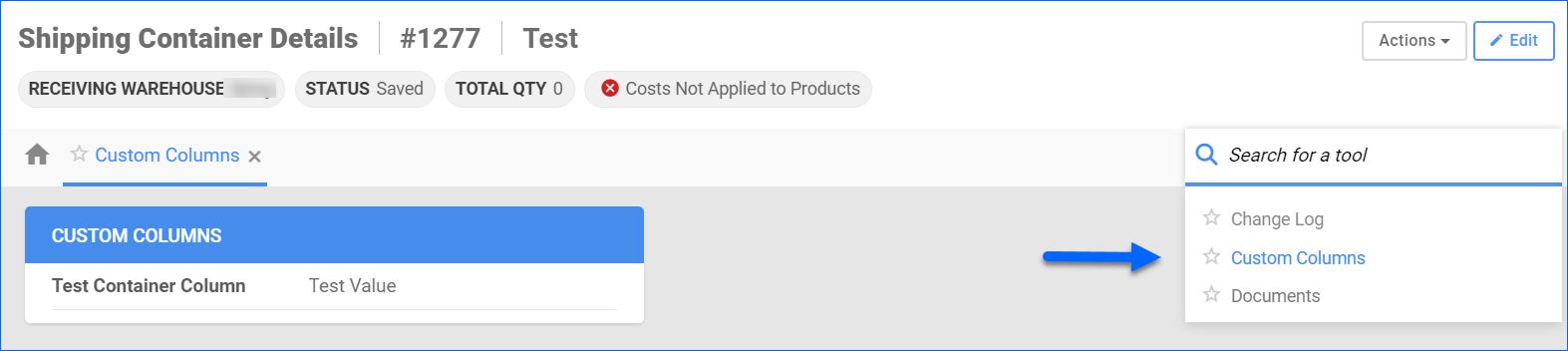
Custom Columns in Sellercloud allow for storing specific information that doesn’t necessarily fit in any of the existing fields. We have now added the option to have custom columns for your Vendors and PO Shipping Containers. 
PO Exported Status
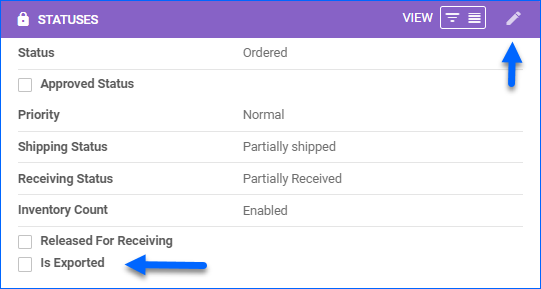
You can now add Is Exported in the Statuses panel of the Purchase Order Details page. It will appear as a checkbox, and by clicking it, you will replicate the Mark Exported/Mark Not Exported action.
Vendor Transactions
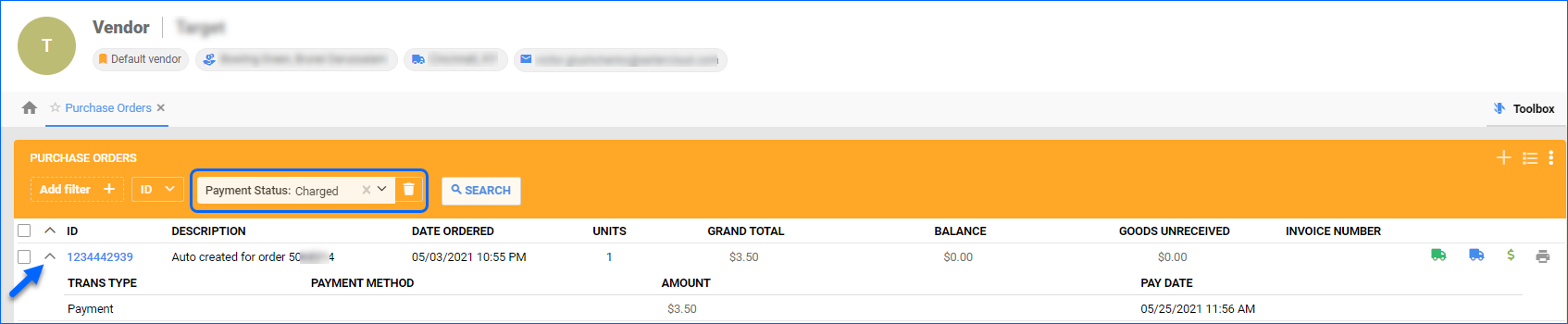
You can now view Transactions linked to specific POs from the Vendor Details page. When you go to Toolbox > Purchase Orders, if there are recorded payments, you can open the PO dropdown to see the Transaction Type, Method Amount, and Pay Date.