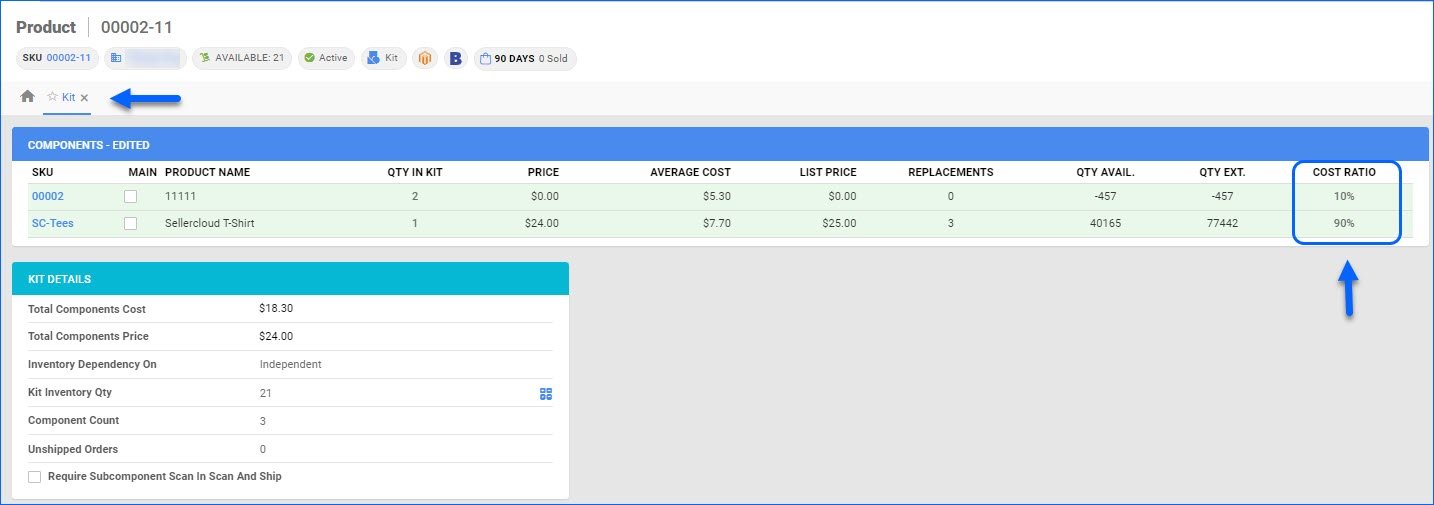
We have added a new client setting: Use Equal Cost Ratio On Kit Disassembly When Not Defined. When enabled, disassembling multi-component Independent kits that don’t have a cost ratio configured will split the parent’s cost evenly between all the components instead of skipping the calculation.
Generic Shipping Label
We have added support for printing a standard label for the Generic Shipping Service in Shipbridge. Previously, this service required either a custom plugin or a label uploaded to the order documents in Sellercloud. Going forward, you will be able to print a label that contains the Shipping Address, Customer name, Order ID, and Processing date. To see a sample, go to Options in Shipbridge > Carrier > Generic Service, select your printer, and click Test Print.
Update PO Invoice and Walmart Marketplace Product Attributes
We have added three new endpoints to our Rest API:
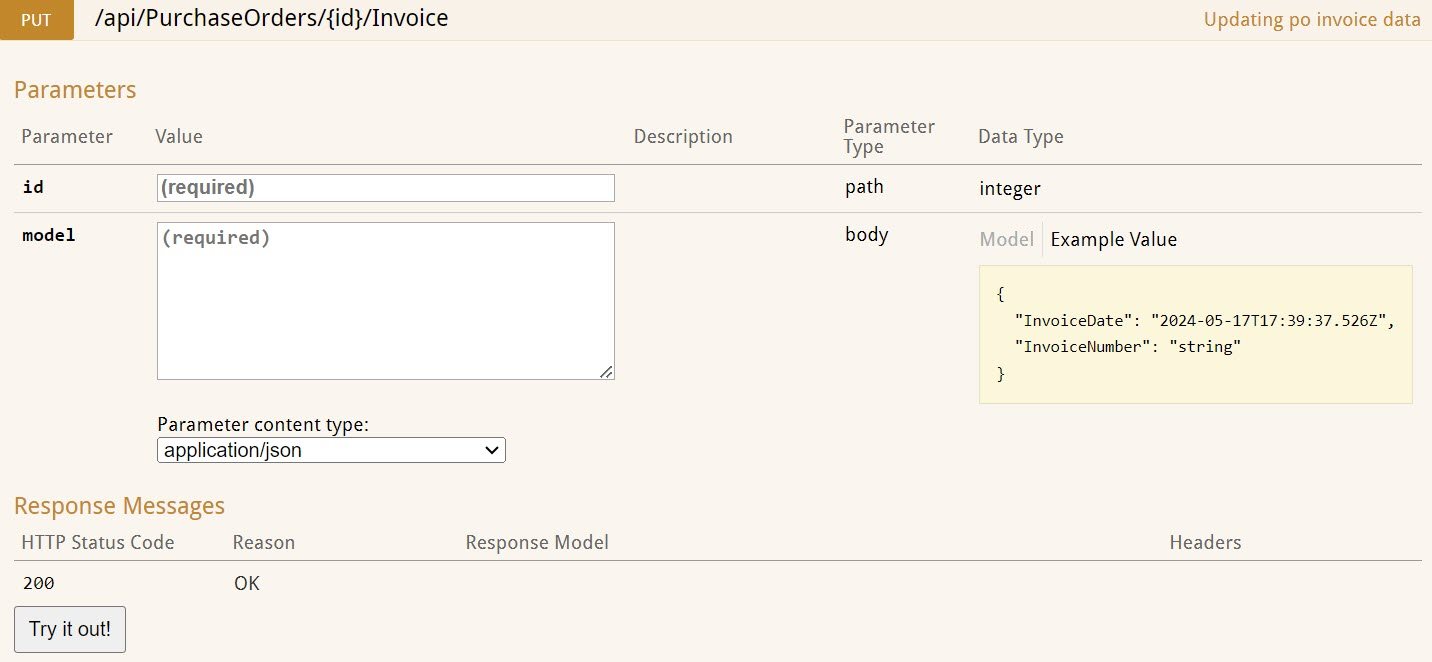
- Update PO Invoice Invoice Number – consume this endpoint to update the Invoice ID and Invoice Date of an existing Purchase Order.
- Update Walmart Marketplace Product Attributes – you have the option to GET a template and then use it to POST Product Attributes for your Walmart Marketplace products.

Expires On Column for Tasks
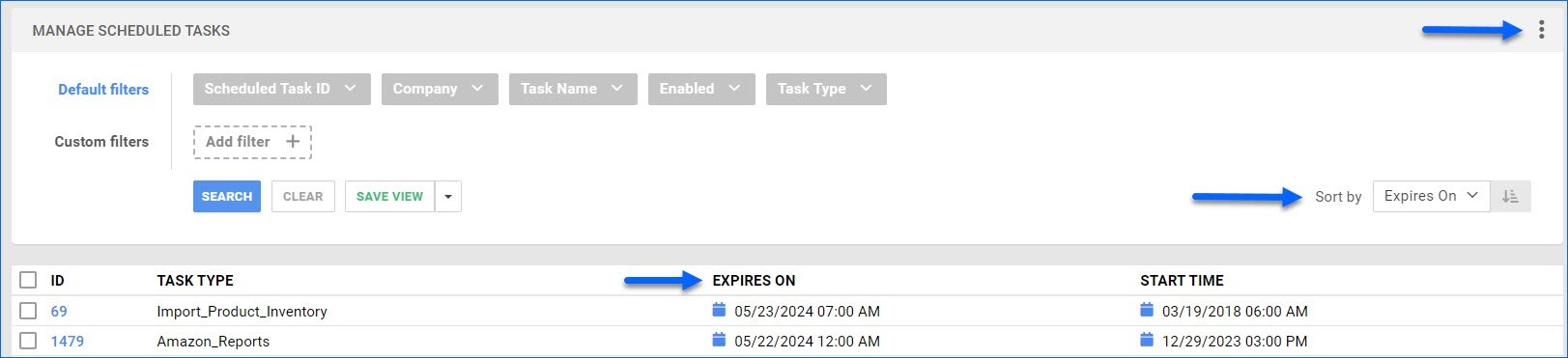
We have added an optional Expires On column on the Manage Scheduled Tasks page. You can customize your columns by clicking the three dots menu in the top right corner. Expires On displays the date you have set for the task to stop executing automatically. You can also sort the grid results by that column.
Camera Barcode Scanning
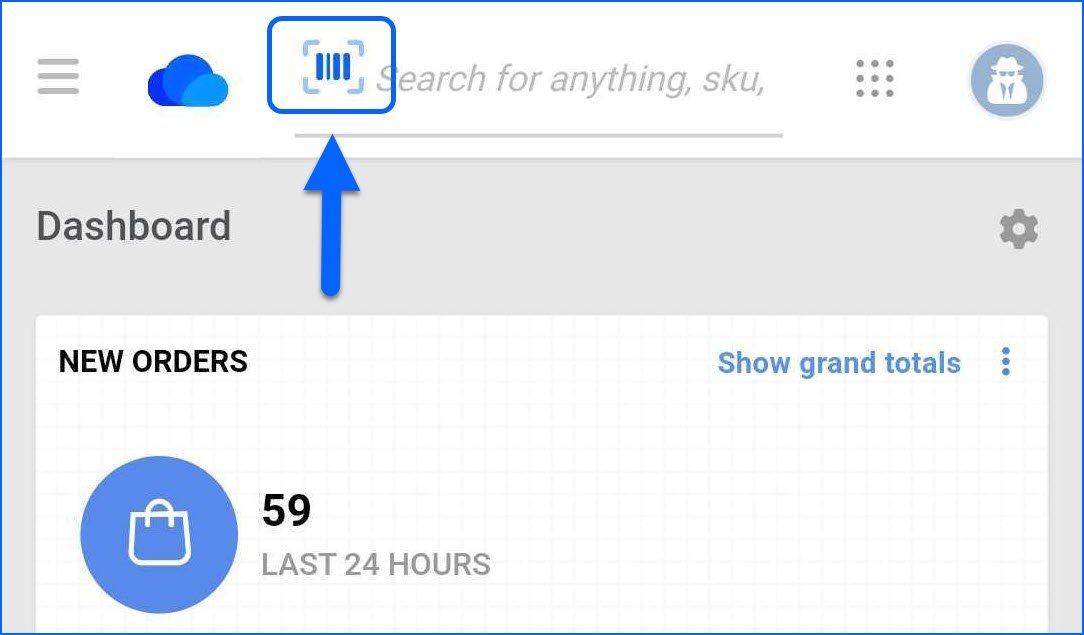
The Sellercloud Mobile Application supports scanning barcodes with your device’s camera. This functionality is available on all pages where you can Add Products (Orders, POs, FBA) or input Serial Numbers. You can also use single-scanning in the Global Search bar, where you can scan any Product Identifier, such as SKU, UPC, Serial Number, etc. In all the mentioned cases, simply press the blue barcode icon to open the camera and start scanning.
Wayfair EDI: Import Cancellation Requests
Our Wayfair EDI Integration now supports automatically importing Order Cancellations. While there are no specific settings to configure in Sellercloud for this workflow, you must first complete the testing process with Wayfair for the different possible scenarios.
Custom Columns for Vendors and Shipping Containers
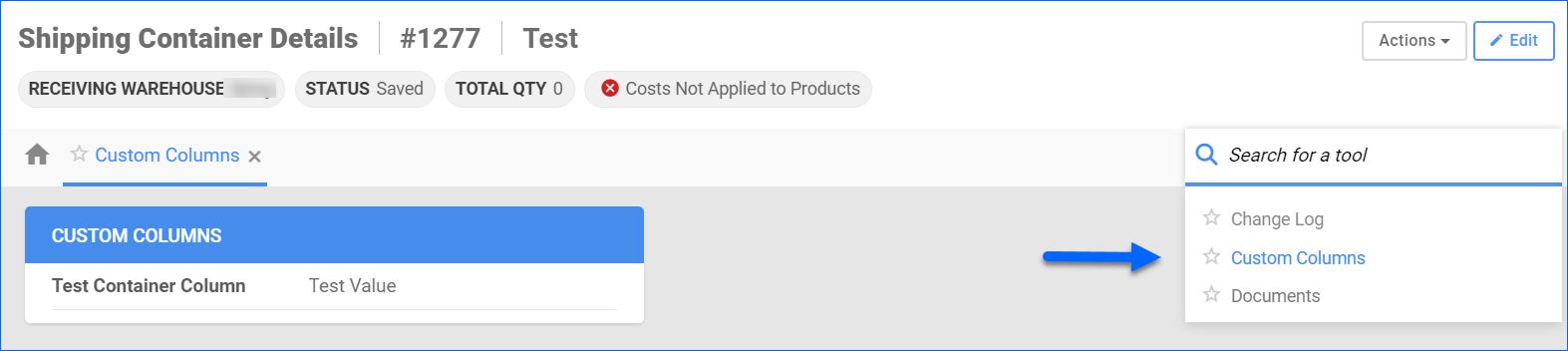
Custom Columns in Sellercloud allow for storing specific information that doesn’t necessarily fit in any of the existing fields. We have now added the option to have custom columns for your Vendors and PO Shipping Containers. 
Auto-populate Sales Rep on New Order
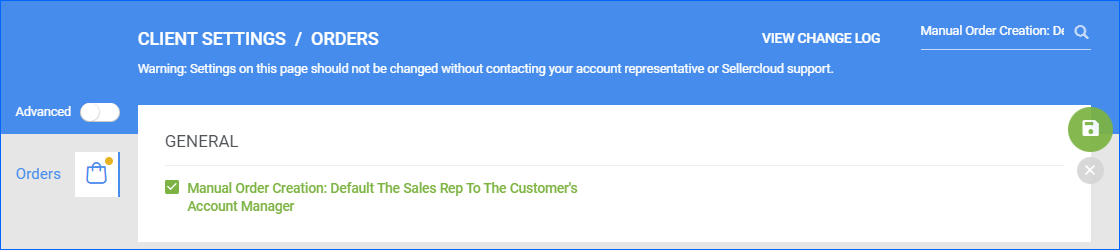
We have added a new Order Client Setting: Manual Order Creation: Default the Sales Rep to the Customer’s Account Manager. When enabled, the Sales Rep field will be automatically populated with the Account Manager email set on the Customer you select upon New Order Creation. This does not apply if there is no valid user set as Account Manager or if you are creating the order via Rest API.
Amazon Attributes Mapping
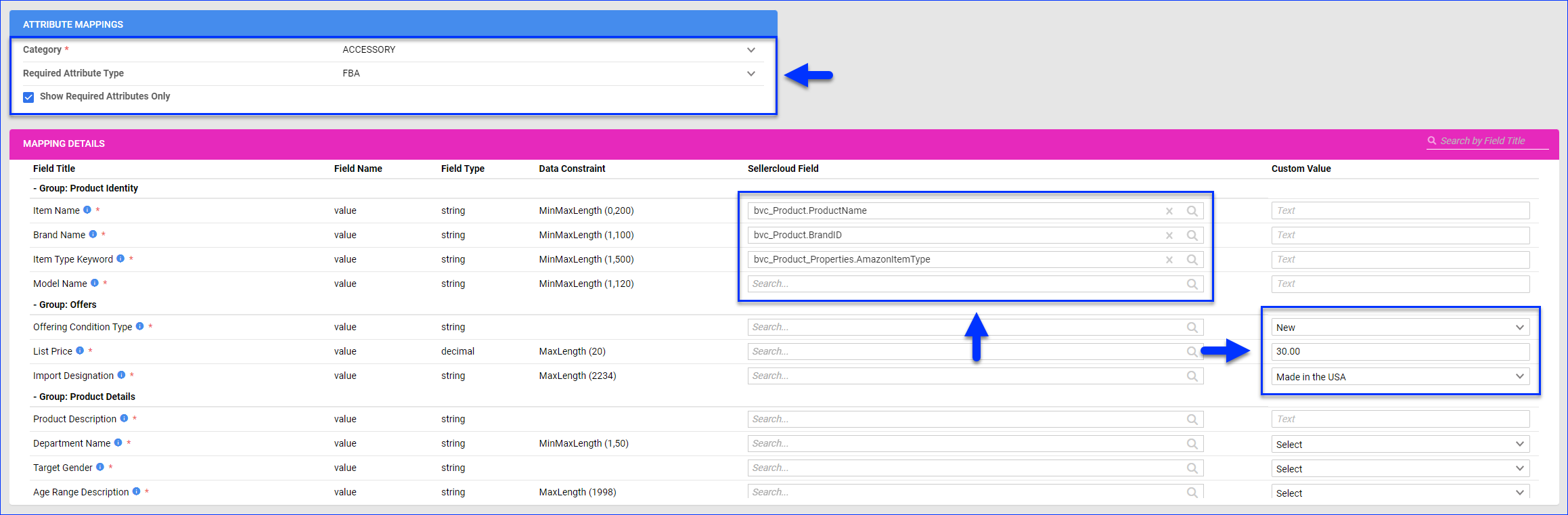
With our new workflow, which allows you to Create new ASINs from Sellercloud, we have also added a page where you can map all the various required Amazon Product Attributes to existing Sellercloud fields. This can significantly reduce the time spent preparing your SKUs for Amazon by automatically filling in values for your mapped attributes. 
Reebelo API Integration
You can now integrate your Sellercloud account with Reebelo via API. Contact our Support Team or your onboarding specialist to request the latest Reebelo Website Cart plugin. The new integration supports order download, listing new products, and automatically updating prices and inventory.