Our Case Quantity Workflow allows you to configure Costs, Quantities, and Shipping Dimensions for products you sell and purchase per case. These can be set on two separate product levels: General and Vendor Product. We have tweaked the logic for Purchase Orders, to make sure that whenever you add an item to a Case Quantity-Enabled PO, we will prioritize the Vendor-level quantity, and only if there is none, we will use the general product case quantity configuration.
Bin-Enabled Default Warehouse for POs
Vendor Default Warehouse
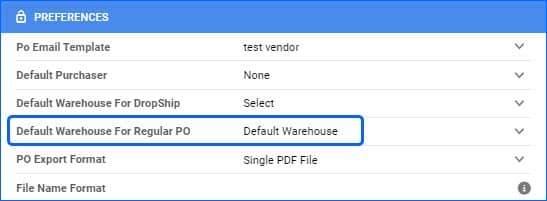
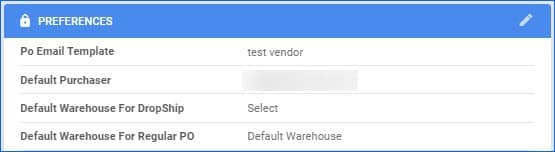
You are now able to configure two separate Default Warehouses for your Vendors. “Default Warehouse For DropShip” refers to the Warehouse that will be automatically set on Dropship POs, and “Default Warehouse For Regular PO” lets you set a default receiving warehouse for Purchase Orders.
Credit Memo Picking Status
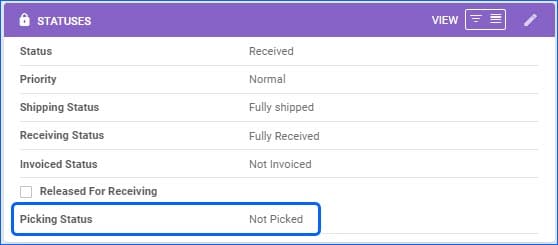
We have added consideration for Skustack users on Credit Memos. Going forward, if the Shipping Warehouse is Bin-Enabled, you will see a Picking Status in the Statuses Panel.
Sample Orders
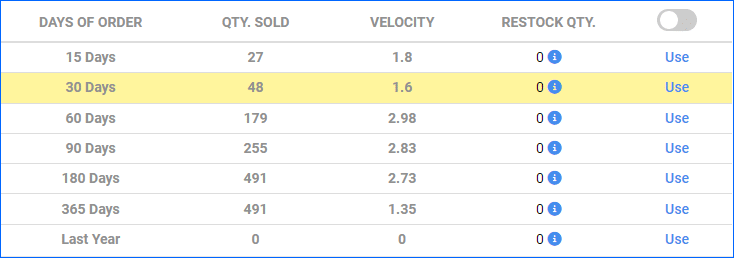
We will now be able to decide whether any Sample Orders are to be counted towards your actual sales when running our Predictive Purchasing Report.
Shipping Container Quantity
On the PO Details page, Qty in the container is now a clickable link. When opening the link, it will show which Containers the inventory is in, giving the user a better idea of where their product inventory is located in the warehouse.
Enhanced Shipping Containers Search
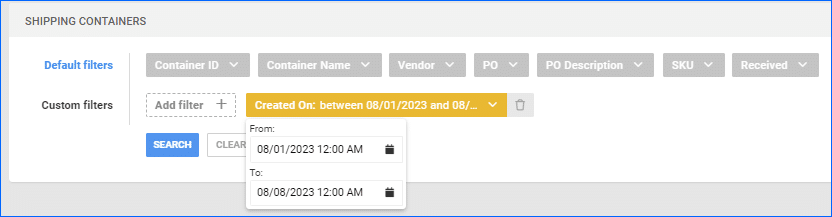
“Created On” is now available as a filter on the Shipping Containers page. This allows the user to sort the list of Shipping Containers that they have created in Sellercloud for Purchase Orders.
Non-Sellable Warehouses Quantity
The filter “Ignore quantity from non-sellable warehouses” is now available on the Predicted Purchasing page. 
PO Export Mapping Tool – DateOrderedDateOnly
The column DateOrderedDateOnly has been added to the PO Export Mapping Tool. This can be mapped to export the original date of the purchase order.
Vendor Quantity Discounts
The option to Import Vendor Quantity Discounts is now seamlessly accessible within the Import Purchase Info section.