We have added the Only Approved POs setting to the Open Purchase Order Reminder Scheduled Task. Enable it if you prefer to skip reminders for Purchase Orders that haven’t been Approved.

Temu Pending Orders
The Temu Website Cart plugin will now process Pending orders and create Pending Order Reserves. This change will ensure that inventory is allocated for orders that haven’t been finalized on Temu and help prevent overselling.
Temu: Partially Cancelled Orders
We have updated our Temu Integration to now check for differences for orders that have already been imported. If a customer on Temu has cancelled only some of the items, we will now perform actions to update the local Sellercloud order as well. Check or dedicated Temu Account Integration article for more information.
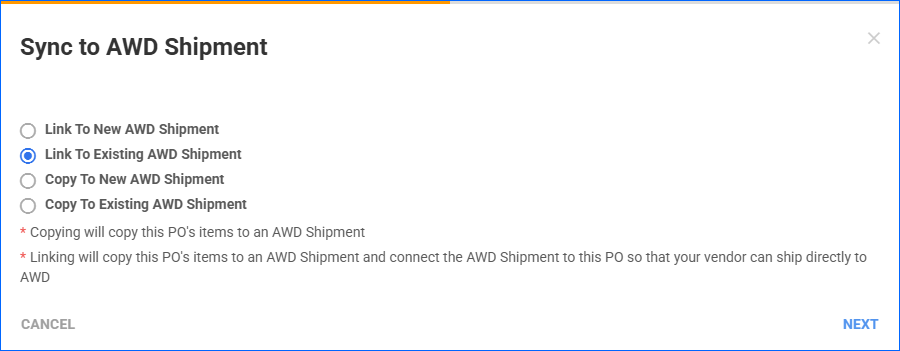
Sync AWD Shipment and PO
You can now sync a Purchase Order (PO) to an AWD Inbound Shipment in Sellercloud. This is a convenient way to streamline the process of purchasing inventory and sending it to Amazon’s Distribution Centers.
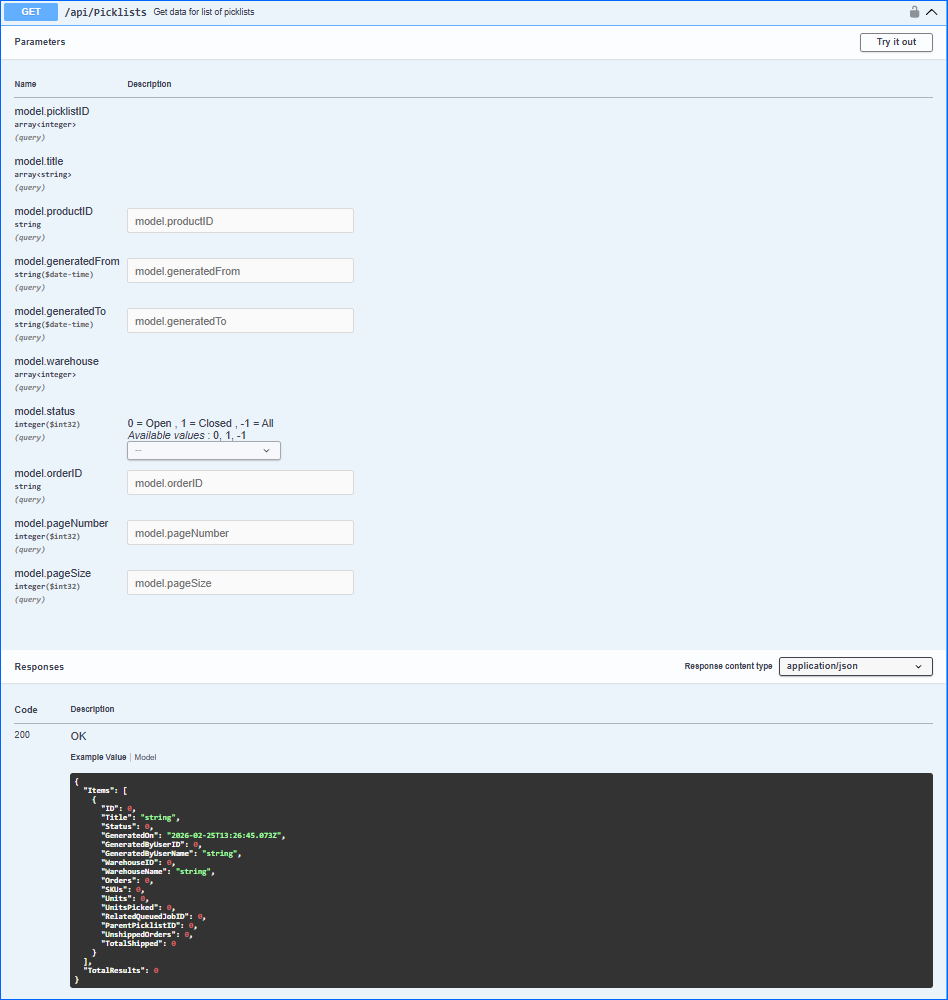
Get All Picklists
We have added a new endpoint to our REST API, which allows you to retrieve information for a list of Picklists. For more details, see our dedicated article: Get All Picklists.
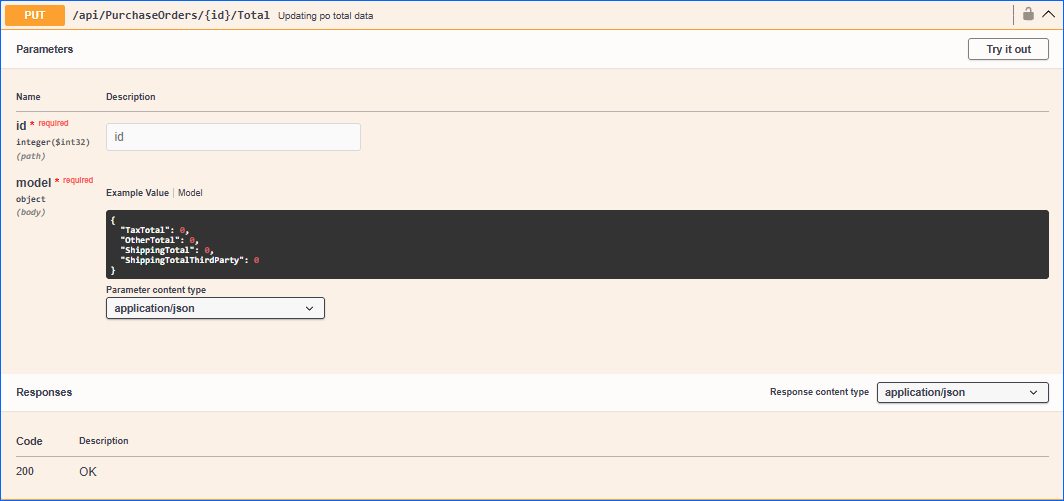
Update PO Totals
We have added a new endpoint to our REST API that allows you to update the values of the Purchase Order Totals fields.
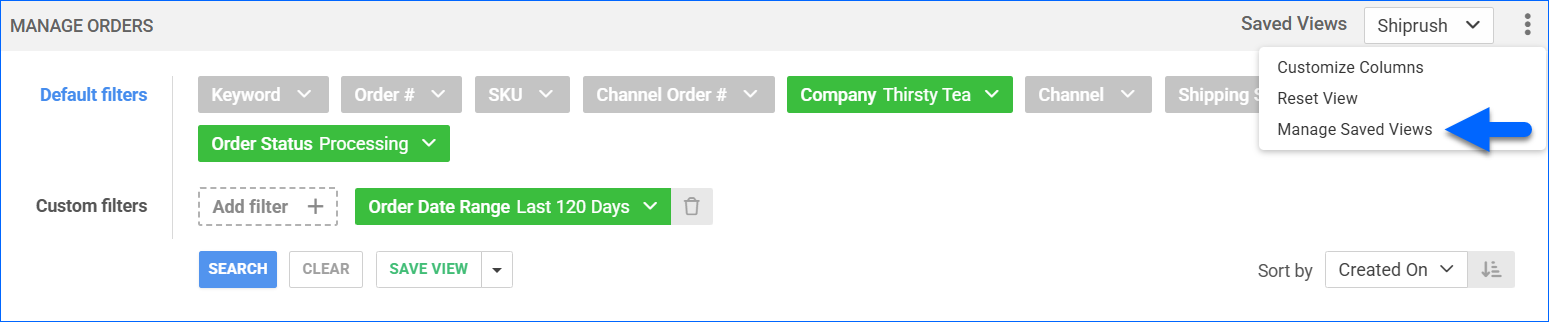
ShipRush: Saved View
You can now create an Order Saved View and use it to customize the list of orders sent to ShipRush. 
Bulk Price Manager
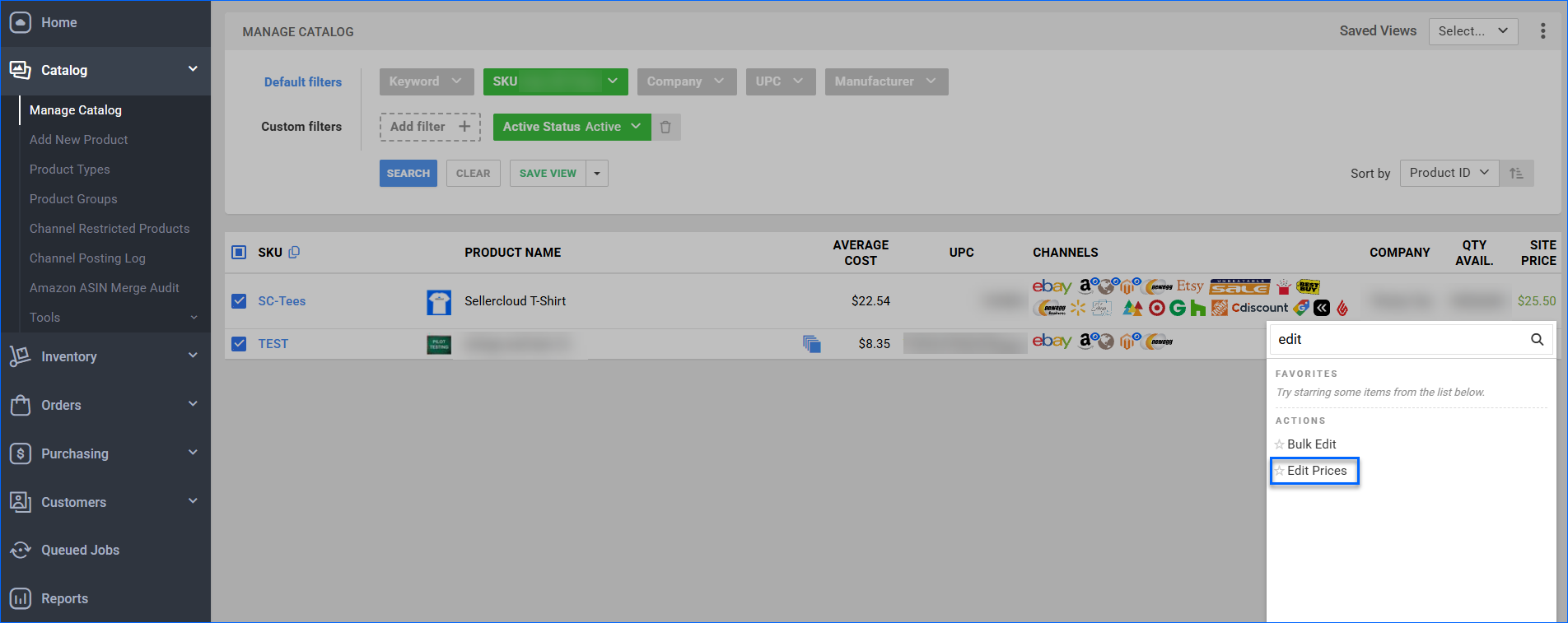
We have added a new bulk action to the Manage Catalog page: Edit Prices. It opens a pop-up modal that mimics the Prices tab of the Product Details page. There, you can manage prices for up to 50 products at once and revise channel listings. 
Zoro Tools Cancellations
We have adjusted the Zoro Tools SPS Modified Order Ack Export plugin to now account for cancelled orders by using an additional Scheduled Task and Saved View. You can read more about the setup in our Zoro Tools Account Integration article.
AWD Shipment: Prep Instructions
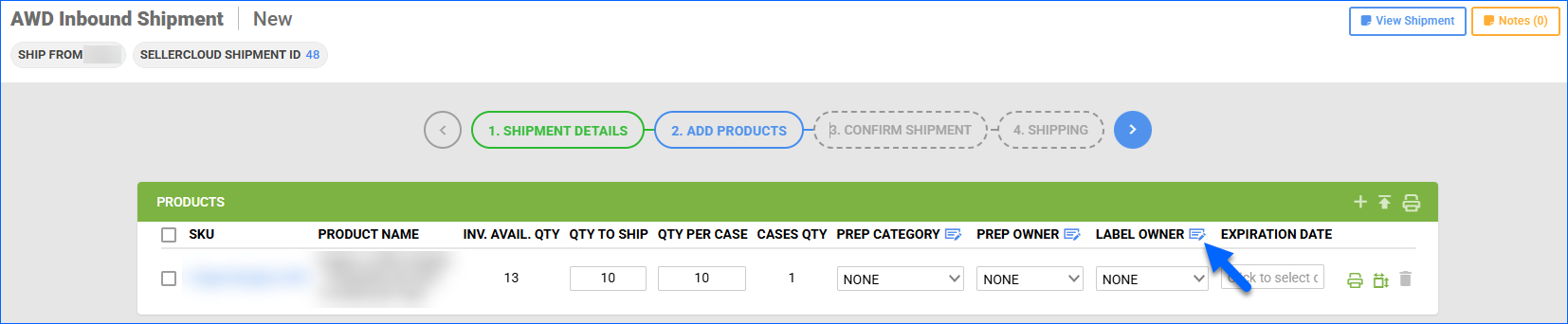
We have added bulk action buttons on Step 2: Add Products of the AWD Shipment wizard to bulk update the Prep Category and Prep/Label Owners for multiple products at once.