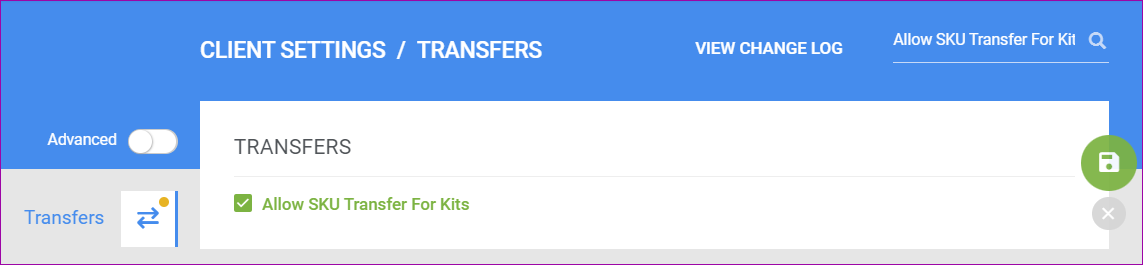
We have added a new security measure regarding which users have access to the Skustack Admin Portal. Going forward, only client Admins will automatically have the ability to log in. All users marked as Employees will need to be invited by a Client Admin. This can be done in two ways within the Admin Portal:
API Endpoints | Split PO, Get PO by View, Get PO Views, and Update Order Columns
We have added four new endpoints to our Rest API:
- Split Purchase Order – use this endpoint for cases when you need to Split an existing Purchase order.
- Get Purchase Orders By View – use this endpoint to get the details of a list of Purchase orders by using an existing PO Saved View.
- Get PO Saved Views – use this endpoint to get the list of your existing Purchase Order Saved Views. The response body will return a list of your Saved views, including the View Name and numerical ID.
- Update Multiple Custom Columns for Order – use this endpoint to update the values for multiple existing Custom Order Columns at once.
Order Rule Engine: Execute on List of Orders
We have added a new action to the Rule Details page in the rule engine, which allows you to execute the specific rule on a specific list of orders. Go to the specific Rule, where you will see a few icons in the top right corner of the General panel, and click the first icon to Execute Rule on Orders… You can either enter a single Sellercloud Order ID or a list separated by commas.
Word2PDF Invoice Sort Products and Include Custom Columns
We have updated the existing Client Setting Sort Invoice Product IDs Alphabetically to apply when the selected invoice is a Word2PDF template. While previously, this only worked when using the Sellercloud General Invoice format, you can now ensure that the Order Items are sorted alphabetically in the order items table by enabling this setting. Additionally, we have added support for a new placeholder #?CCProduct_ColumnName?#. Substitute ColumnName with the name of a Custom Product column, and the Invoice will include that column’s value in the order items table.
Placeholders for Product ASIN and WayToPay.me Links
We have added support for a few new placeholders you can use in Word2PDF Invoice templates. You can now add #?ASIN?#, which will pull the ASIN of the ordered product and add it to the PDF Invoice. Additionally, we have added three new placeholders that provide a shortcut for your customers to their order’s Waytopay.me link, where they can make payments for purchased items. You can now use:
- #?WayToPayLink?# – a clickable Waytopay.me link for the specific order.
- #?WayToPayLinkImage?# – a clickable Waytopay.me logo, which takes the customer to their order.
- #?WayToPayLinkQR?# – scannable QR Code that takes the customer to their order in Waytopay.me.
If you add any of the mentioned Waytopay.me placeholders in your template, they will only display when you generate a PDF Invoice for an Order that is Unpaid.
Amazon South Africa
Recently Amazon has launched its South Africa Marketplace. To integrate it into Sellercloud, you would need to create a company, set the correct Country Code (ZA) and currency, and enter Amazon Marketplace ID: AE08WJ6YKNBMC on the Amazon General Settings page. There are no special steps you need to complete in addition to the general Amazon Integration process. For Amazon Unified Accounts, the South Africa marketplace is part of the European Region.
Shopify Exchange Orders
We have added support for importing Exchange Orders from Shopify. These are orders placed in exchange for an item that is being returned. In Shopify, they usually carry an EXC suffix in the Order ID and have an order total of $0. In Sellercloud, these orders will be created with an order total of $0.01, and we will automatically apply a full discount in order to mark them as Paid so you can proceed with shipping the items.
DHLeC Parcel International Direct DDU
We have added a new Shipbridge setting called Use Parcel International Direct as DDU when applicable. When enabled, you will have the option to ship your international orders with DHLeC Parcel International Direct DDU instead of DDP. The Rate calculator will also display the DDU rate for the orders this option applies to. Whether you can ship an order as DDU is determined by the destination country.
Back Market Inventory
We have added support for Custom Inventory Calculations for channel Back Market, controlled by the new client setting Enable Custom Inventory calculation for Backmarket. This means you can request your own custom plugin, which will calculate the sellable inventory for each of your Back Market products based on the rules set with the plugin. Sellercloud will only send the quantities defined by that calculation. This workflow only applies to the core API Back Market Integration. 
API Endpoints | Order Snapshot and PO Serials
We have added two new endpoints to our Rest API:
- GET Order Snapshot – Use this endpoint to request the Snapshot of an Order. The Snapshot is generated for orders that have been split, and their purpose is to show you the entirety of the original order, useful for financial recordkeeping and reports.
- ADD Serial Numbers For A Purchase Order – Use this endpoint to add serial numbers to your PO items.