Webinar
Walmart MCS + SSS for Smarter Shipping & Fulfillment
June 17
Register Now

Product updates: Improvement

Improvement November 28, 2023

Waytopay.me Support and Partial Payments

We have made some improvements to WayToPay.me:

  • You can now set up an email address from the Admin Portal, where customers can reach you directly from their Waytopay.me link by clicking the envelope icon. Additionally, you can add up to 6 custom subjects, which will appear as pre-defined questions the customer can reply to when requesting support.


 

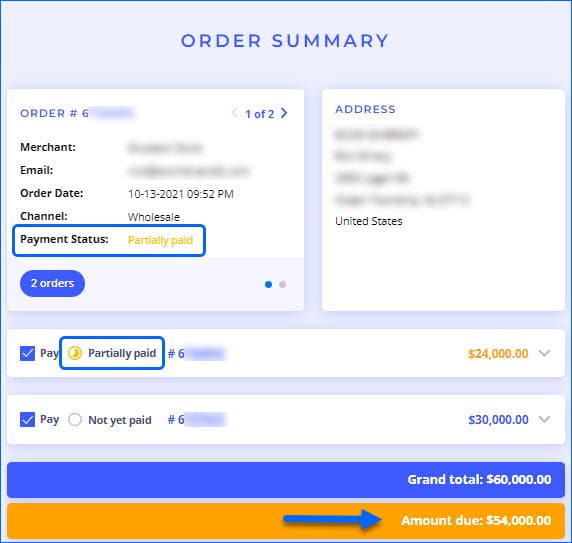
  • We have improved visibility for Partial Payments on orders. Your customers will be able to see total amount due for the included orders, as well as indicators on which order still has pending payments and a further breakdown showing the amount paid.
Improvement November 27, 2023

Insights Movement Types: Adjustments

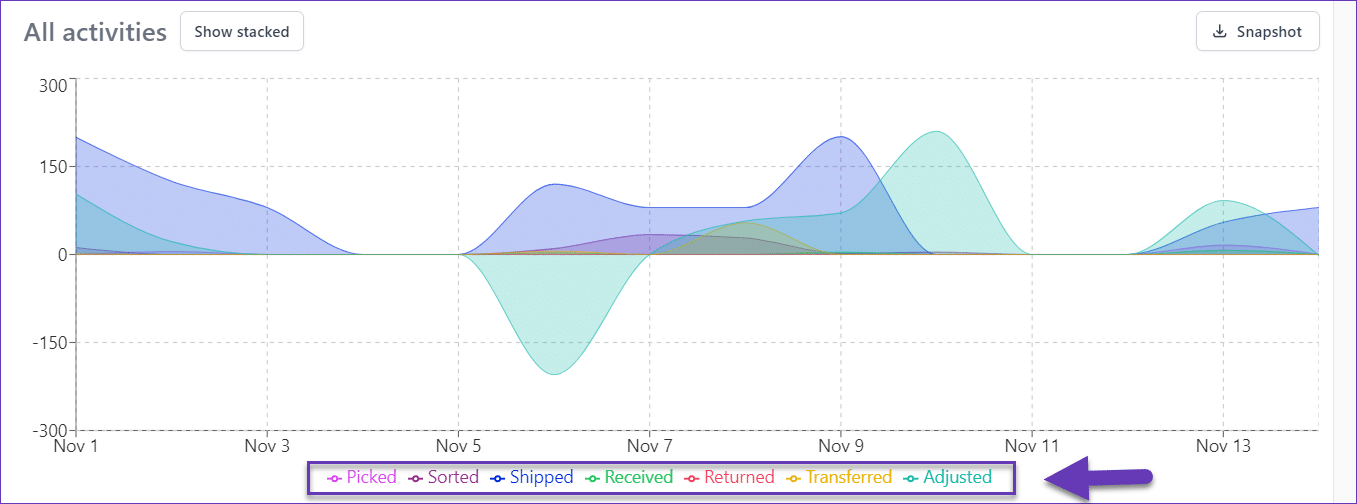
The Insights tab in Skustack Lens now includes Adjustments as a new Movement type. In the graph, adjustments for negative quantity are displayed below the 0 axis. The sum of adjusted amounts is also shown on the distribution chart below the graph.

Improvement November 23, 2023

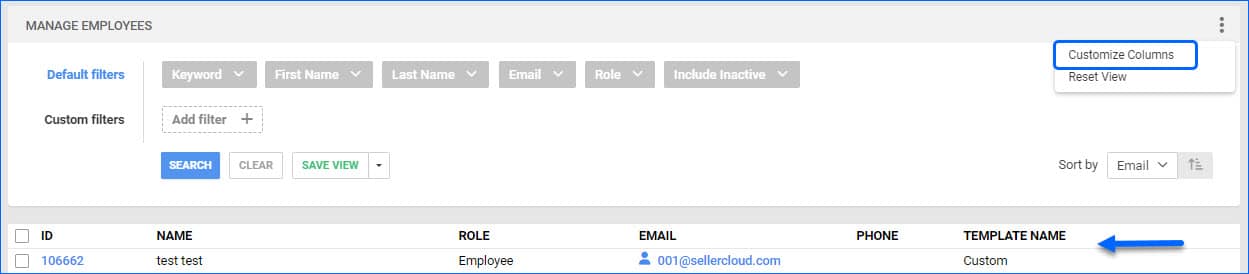
Export Mapping Tool Additions

We have added two new options to the Export Mapping Tool:

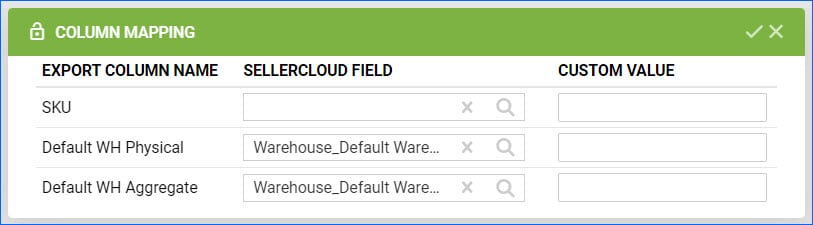
    • Products: You can now export physical and available (sellable) inventory for your products per Warehouse. The fields follow Warehouse_[Warehouse Name].PhysicalQty and Warehouse_[Warehouse Name].InventoryAvailableQty formats. For example, if you want to export just the current physical quantity of a product in a warehouse named Default Warehouse, the field will be called Warehouse_Default Warehouse.PhysicalQty.
    • Purchase Order (PO): If you have linked a PO with a WFS Shipment Plan or FBA Inbound Shipment, you can now map the fields Purchase.RelatedFBAShipmentNumber and Purchase.RelatedWFSShipmentNumber, which will export the associated Selelrcloud Shipment IDs.


Improvement November 22, 2023

Predictive Purchasing and FBA Restocking: Last Year

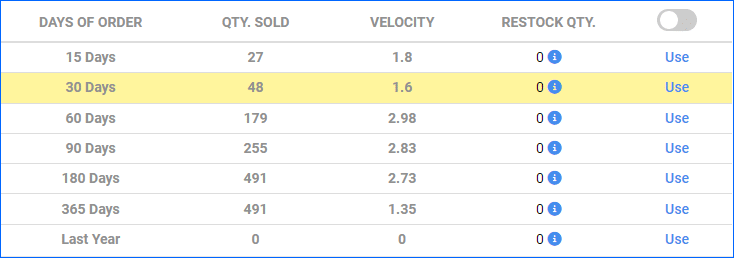
We have added a new option to our Enhanced FBA Restock Report and the Enhanced Predictive Purchasing Report. On the last row of the Level 2 view, you will see Last Year. This row allows you to reference the Days of order from this time last year. For example, if you select 30 Days of Order, you will see the quantity sold within 30 days of today’s date last year. The same time period will also appear highlighted in yellow in the graph. This option can be especially useful when preparing for the busy season or for any seasonal sales and items.

Improvement November 20, 2023

Click to Copy SKUs

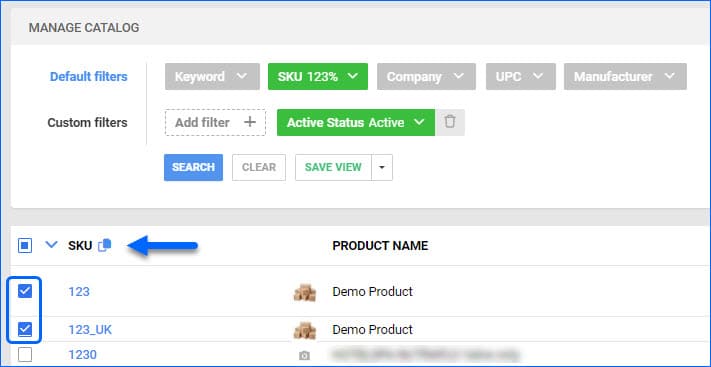
We have modified the Click to Copy button on the Manage Catalog page. If you select specific SKUs from the grid, the button will only grab the checked Product IDs. If none are selected, all SKUs loaded on the page will be copied to your clipboard. We have also added this functionality to the Product Details page. Click on the SKU pill at the top left of the page, and the ID will be copied.

Improvement November 15, 2023

Import WFS Returns

We have updated the way Sellercloud handles WFS Returns. Previously, we were not able to import them safely, as they would cause inventory discrepancies. However, we have updated the logic so that once the return is finalized on Walmart, we import it into Sellercloud and create an RMA with status Closed. This way, your Profit & Loss data will be accurate, and you will have complete order records in Sellercloud. To use this feature, contact Sellercloud Support or your onboarding specialist to ensure that the Admin setting EnableWFSReturnsAndCreateRMA is configured on your server.

Improvement November 13, 2023

Enabled Channels for Shadows

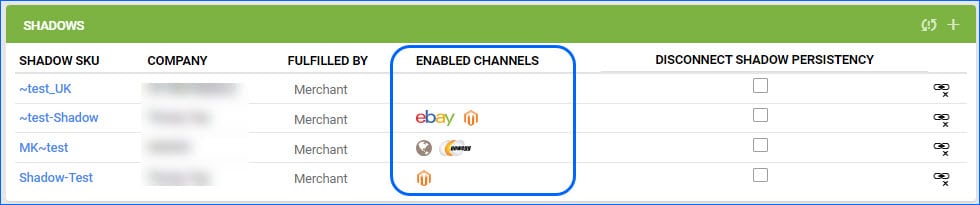
We have added a new column on the Shadows panel on the Shadow Toolbox page in Manage Catalog. You will now be able to see which channels each Shadow product is enabled for without having to navigate around in the interface. This is a great quick reference, and you can also click on any of the icons to be taken to that channel-specific properties page of the Shadow Product.

Improvement November 10, 2023

Delay Order Rule Engine Client Setting

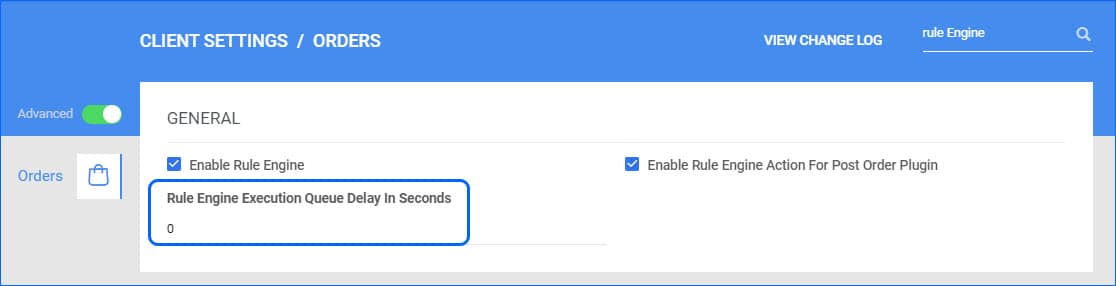
We have further updated the Delay Order Rule Engine Execution functionality. Once a Support Representative enables the necessary admin setting for your server, you can head to the Client Settings in your account and set the time for the delay in Rule Engine Execution Queue Delay In Seconds. If you enter 0, the Order Rule Engine will trigger immediately after Order Creation. We have moved this setting from the Admin level to give you more direct control over the process and allow you to change your workflow as needed.

Improvement November 9, 2023

Delay Invoice Upload for Amazon Direct Fulfillment

Our Amazon Direct Fulfillment EDI integration supports automatically sending 810 invoices for each order. However, depending on the number of orders you receive, you may experience throttling issues on Amazon’s side. For such cases, we have moved the App Setting Enable Invoice Upload Delay to the Direct Fulfillment Geneeral Company Settings page, giving you more control over which accounts the delay should apply to and the ability to enter different values for Invoice Upload Delay (seconds) so you can tailor it to each company. You will now also have the ability to disable the functionality altogether.