Product Updates: Sellercloud > Order Management

New January 11, 2024

Rule Engine: Add Order Item

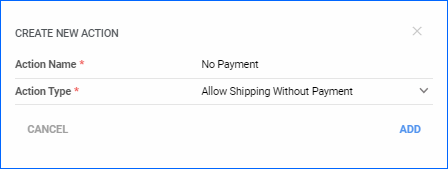
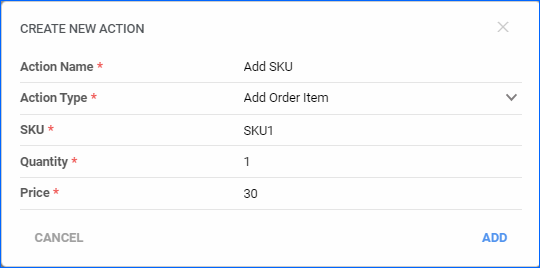
We have created a new action in the Order Rule Engine to Add Order Item. With this action, you can automate adding specific SKUs to orders based on the rule’s conditions. You can select one SKU per action, and you will have to configure the price and quantity to appear on the order. This can be especially useful when items in your catalog require a digital product, such as a warranty or insurance. Another use can be to add complimentary items or samples along with the original order, based, for example, on the customer.


Improvement January 5, 2024

Amazon Transparency Code Changes

We now support sending Transparency Codes to Amazon in the Shipping Notice for international marketplaces. Amazon Transparency is a global service, and we have made accommodations for it, ensuring that if an order item is flagged as transparency-enabled, we will include the code when sending tracking information. Additionally, we have added a new column to the manual import option for Amazon Transparency code import. You can now use Channel Order IDs to match transparency codes for orders not shipped via Shipbridge.

Improvement January 3, 2024

Multiple Tracking Numbers for RMA

By default, RMAs can only have one tracking number unless your account has been specifically configured to allow multiple. We have moved the setting Enable Multiple Tracking Numbers For RMA, which controls the functionality, away from the Admin level of your server, to the Client Settings. We have made this change in order to give you more flexibility and allow you to more easily configure your account. When you enable the setting, you will be able to record and manage multiple tracking numbers per each RMA.

New January 2, 2024

Order Rule Engine: Execute on List of Orders

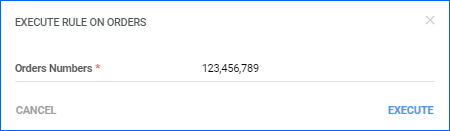
We have added a new action to the Rule Details page in the rule engine, which allows you to execute the specific rule on a specific list of orders. Go to the specific Rule, where you will see a few icons in the top right corner of the General panel, and click the first icon to Execute Rule on Orders… You can either enter a single Sellercloud Order ID or a list separated by commas.

New December 18, 2023

Word2PDF Invoice Sort Products and Include Custom Columns

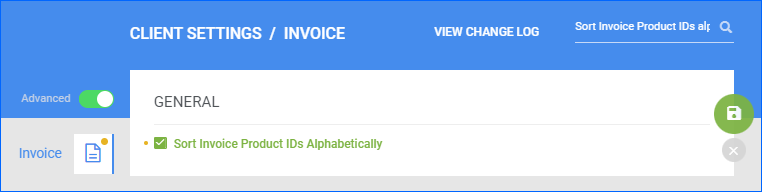
We have updated the existing Client Setting Sort Invoice Product IDs Alphabetically to apply when the selected invoice is a Word2PDF template. While previously, this only worked when using the Sellercloud General Invoice format, you can now ensure that the Order Items are sorted alphabetically in the order items table by enabling this setting. Additionally, we have added support for a new placeholder #?CCProduct_ColumnName?#. Substitute ColumnName with the name of a Custom Product column, and the Invoice will include that column’s value in the order items table.

New December 12, 2023

Placeholders for Product ASIN and WayToPay.me Links

We have added support for a few new placeholders you can use in Word2PDF Invoice templates. You can now add #?ASIN?#, which will pull the ASIN of the ordered product and add it to the PDF Invoice. Additionally, we have added three new placeholders that provide a shortcut for your customers to their order’s Waytopay.me link, where they can make payments for purchased items. You can now use:

  • #?WayToPayLink?# – a clickable Waytopay.me link for the specific order.
  • #?WayToPayLinkImage?# – a clickable Waytopay.me logo, which takes the customer to their order.
  • #?WayToPayLinkQR?# – scannable QR Code that takes the customer to their order in Waytopay.me.

If you add any of the mentioned Waytopay.me placeholders in your template, they will only display when you generate a PDF Invoice for an Order that is Unpaid.

New December 11, 2023

Shopify Exchange Orders

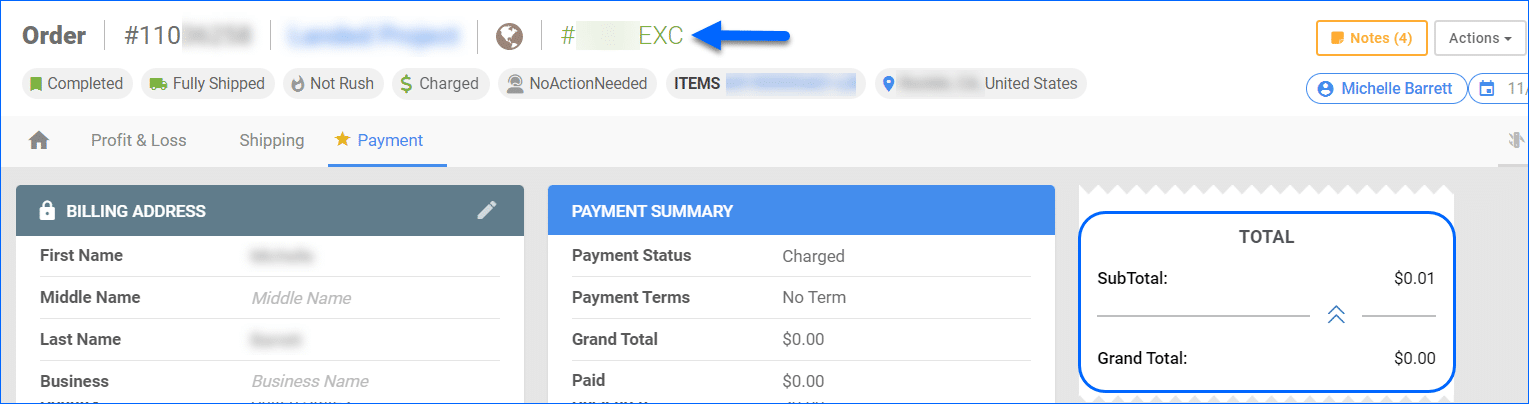
We have added support for importing Exchange Orders from Shopify. These are orders placed in exchange for an item that is being returned. In Shopify, they usually carry an EXC suffix in the Order ID and have an order total of $0. In Sellercloud, these orders will be created with an order total of $0.01, and we will automatically apply a full discount in order to mark them as Paid so you can proceed with shipping the items.

Improvement December 6, 2023

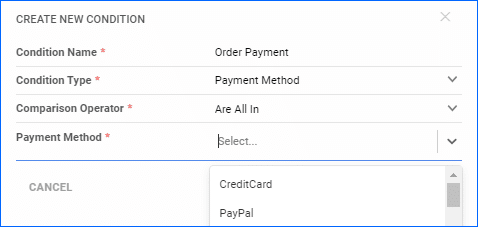
Payment Method and Ship From Warehouse Conditions

We have added two new conditions to the Order Rule Engine:

  • Payment Method – set the rule to apply to orders with a specific Payment Method recorded (Cash, Credit Card, Check, etc.). Alternatively, you can set it to skip orders with a specific method.
  • Order Items Ship From Warehouse – all orders have a Warehouse set, from which the ordered quantities will be dedicated – the Ship From Warehouse. You can now use it as a condition for the Rule engine.
Improvement November 15, 2023

Import WFS Returns

We have updated the way Sellercloud handles WFS Returns. Previously, we were not able to import them safely, as they would cause inventory discrepancies. However, we have updated the logic so that once the return is finalized on Walmart, we import it into Sellercloud and create an RMA with status Closed. This way, your Profit & Loss data will be accurate, and you will have complete order records in Sellercloud. To use this feature, contact Sellercloud Support or your onboarding specialist to ensure that the Admin setting EnableWFSReturnsAndCreateRMA is configured on your server.

Improvement November 10, 2023

Delay Order Rule Engine Client Setting

We have further updated the Delay Order Rule Engine Execution functionality. Once a Support Representative enables the necessary admin setting for your server, you can head to the Client Settings in your account and set the time for the delay in Rule Engine Execution Queue Delay In Seconds. If you enter 0, the Order Rule Engine will trigger immediately after Order Creation. We have moved this setting from the Admin level to give you more direct control over the process and allow you to change your workflow as needed.