We have added a safeguard when querying the status of FBA Inbound Shipments, which will prevent the shipment status from being changed to Shipped or greater unless all units have been fully picked within Sellercloud. Even if the Shipment is already Received in Seller Central, updating the status in Sellercloud before picking means you will not be able to pick any more units, and the received quantity will be deducted from the Picking Bin, leading to negative quantities. These will cause inventory discrepancies for your SKUs and in your bins. The added safeguard applies both for the automatic Shipment Status Query and the manual option in the Actions menu.
Enable Case Quantity for New WFS Shipment Plans
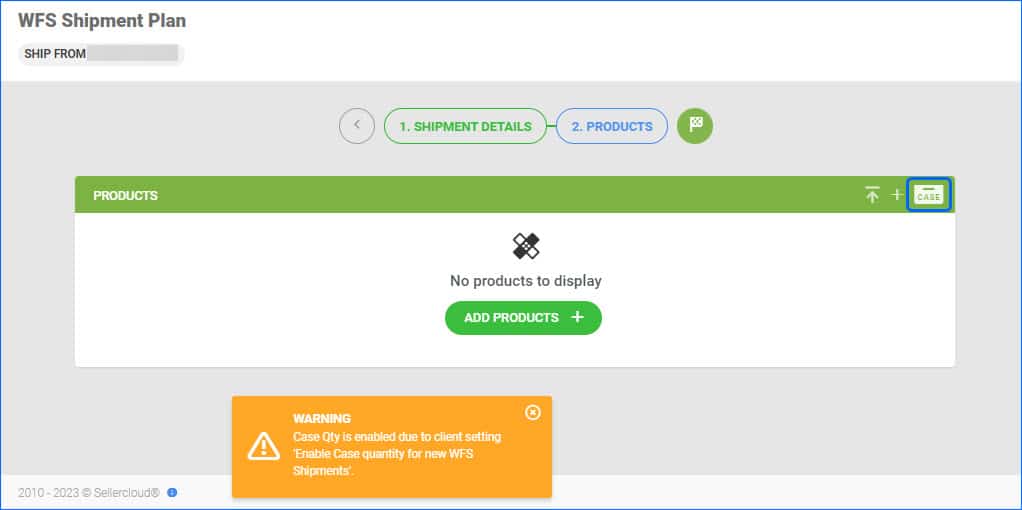
We have created a new Client Setting called Enable case quantity for new WFS Shipments. When enabled, Sellercloud will automatically enable the Case Quantity mode for each new WFS Shipment Plan you create in Sellercloud. This setting is meant to help you streamline the process of restocking your WFS items and prevent mistakes.
Delay Order Rule Engine Execution
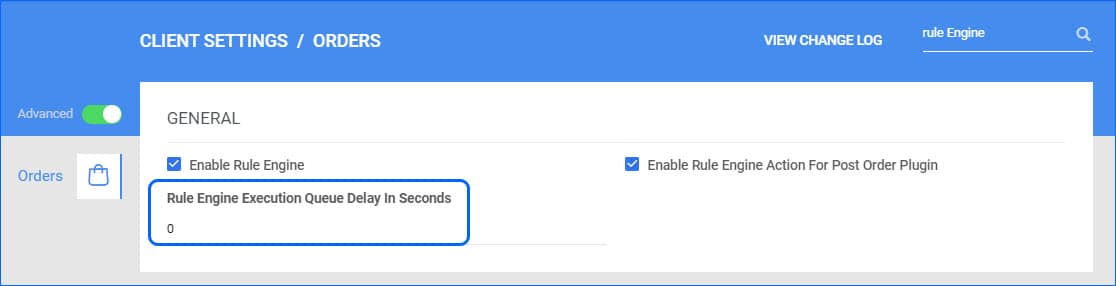
The Order Rule Engine is a Sellercloud feature that lets you create your own automation triggered immediately after order creation. However, in some cases, you may need to delay this for a while if, for example, there is a delay in capturing the order payment. To address such cases, you can delay the execution of the rule engine by a few seconds. This is controlled by two admin settings, which can be configured for your account by a Support Representative or your onboarding specialist.
Amazon’s FBA Restock Report Enhancements
We have added enhancements to the page displaying data from Amazon’s FBA Restock Report. You are now able to filter by Warehouse, causing the Available Inventory (Non-FBA) column to only show quantities from the selected warehouse. Additionally, we have added the option to add a Qty On Order column to the data grid, showing the current On Order quantity for each SKU.
Manufacturer SKU Placeholder
Our Word2PDF functionality is a useful tool that allows you to create your own Invoice templates. We have added support for a new placeholder #?ManufacturerSKU?#, which pulls the Manufacturer SKU configured on the General Properties page of the ordered item.
Search Orders by Wildcard
The Channel Order ID Filter on the Manage Orders page now allows searching by wildcard. Make sure to enter one value only and that it follows this format: 123test%. The results will include channel order IDs that begin with the value entered before the wildcard (the % symbol).
Export Partially Shipped and No Confirmation WFS Shipment Plans
We have added the option for Export to Excel single or multiple records from the WFS Partially Received Shipment and the WFS No Confirmation Shipments pages. 
Two-Way Movements
Some Bin Movements, for example, Order Picking and Kit Assembly, performed with Skustack, are considered “Two-Way” because they consist of deducting quantity from one bin and adding it to another. Going forward, such movements will no longer generate 2 separate lines in the Movements Tab of Skustack Lens, but will rather display only one line, with “From” and “To” Bin Names. Additionally, all such movements in the Insights tab will be indicated with an icon of two arrows pointing in opposite directions.
Time Zone
In Skustack Lens, you are able to configure at what time is the start of your workers’ business day. We have added a field that displays the time zone next to the dropdown menu on the Preferences pop-up.