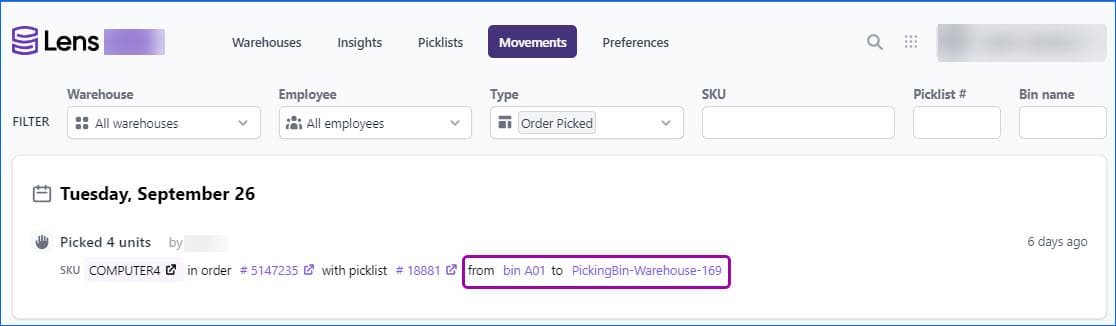
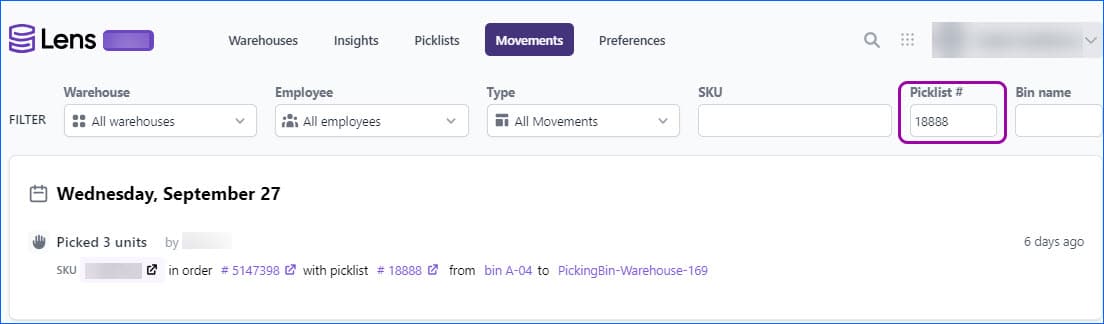
We have added a Picklist fileter in the Movements Tab in Skustack Lens. Enter a Picklist ID to see all associated movements, with additional information about number of units Picked, SKU, which Order the item is for, as well as the From and To Bins.

Two-Way Movements
Some Bin Movements, for example, Order Picking and Kit Assembly, performed with Skustack, are considered “Two-Way” because they consist of deducting quantity from one bin and adding it to another. Going forward, such movements will no longer generate 2 separate lines in the Movements Tab of Skustack Lens, but will rather display only one line, with “From” and “To” Bin Names. Additionally, all such movements in the Insights tab will be indicated with an icon of two arrows pointing in opposite directions.
Time Zone
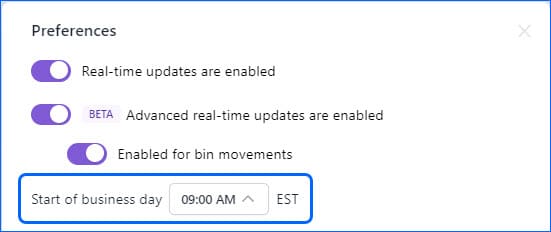
In Skustack Lens, you are able to configure at what time is the start of your workers’ business day. We have added a field that displays the time zone next to the dropdown menu on the Preferences pop-up.
Warehouse Filter
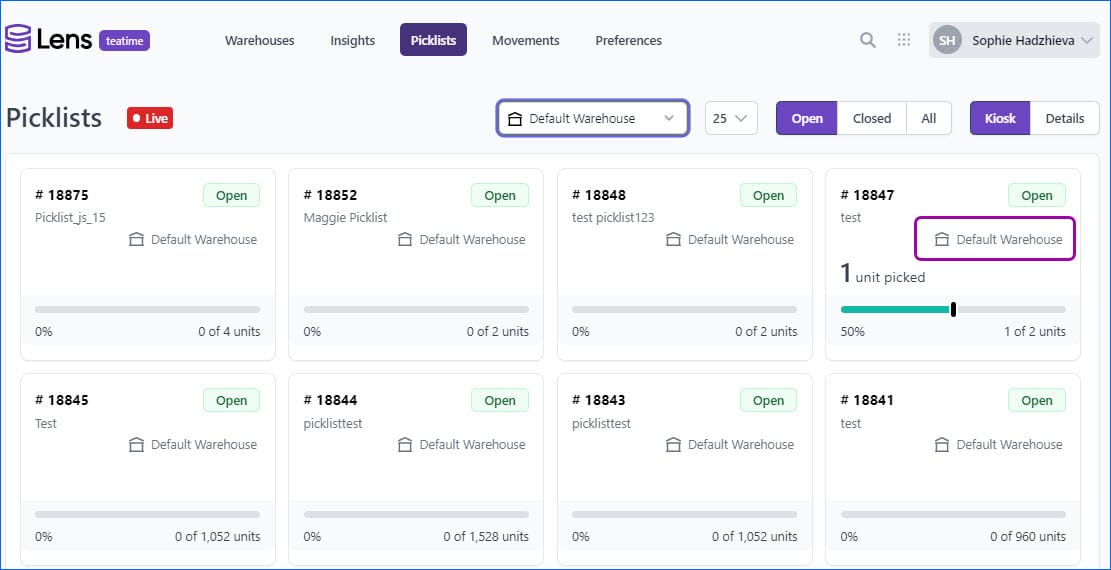
We have added a new filter to the Picklist Tab of Skustack Lens. You can now filter by a specific Warehouse name, and both Kiosk and Details Mode will only display picklists for that Warehouse. Additionally, in both modes, you will see the Warehouse name displayed for each individual picklist.
Bin Adjusment Changes
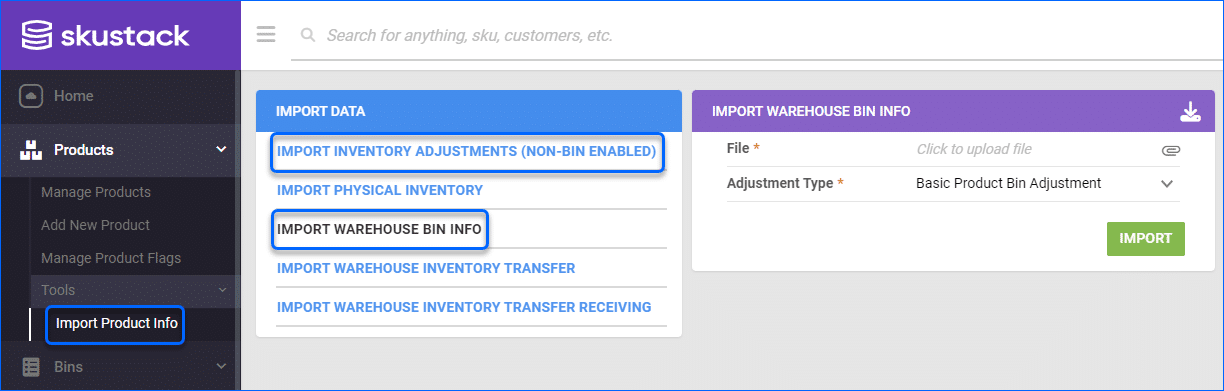
We have updated the Inventory Adjustment functionality in the Skustack Admin UI. For your convenience, you can now find “Import Warehouse Bin Info” under the Product tab, as well as the “Bins” tab. We also changed the name of the other option to “Import Inventory Adjustments (Non-Bin Enabled)”, for easier navigation.
Receive Items to Suggested Bins
When you are receiving inventory from your Vendor, Skustack will now automatically suggest bins based on which bin that same item was previously sorted into for that Purchase Order. This will help sort your products at the same time as receiving them and avoid mixing received items.
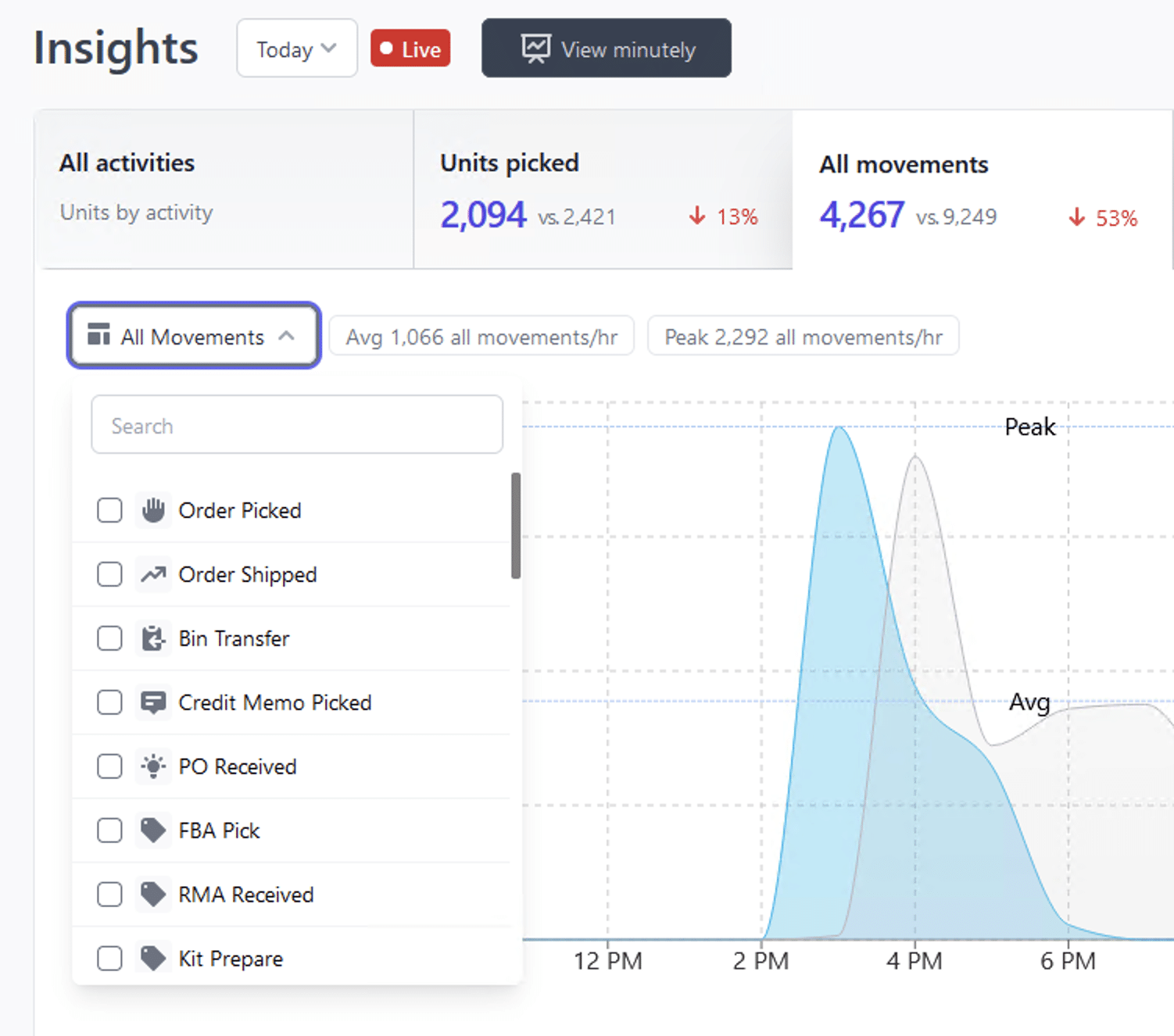
Ehanced Data Analysis
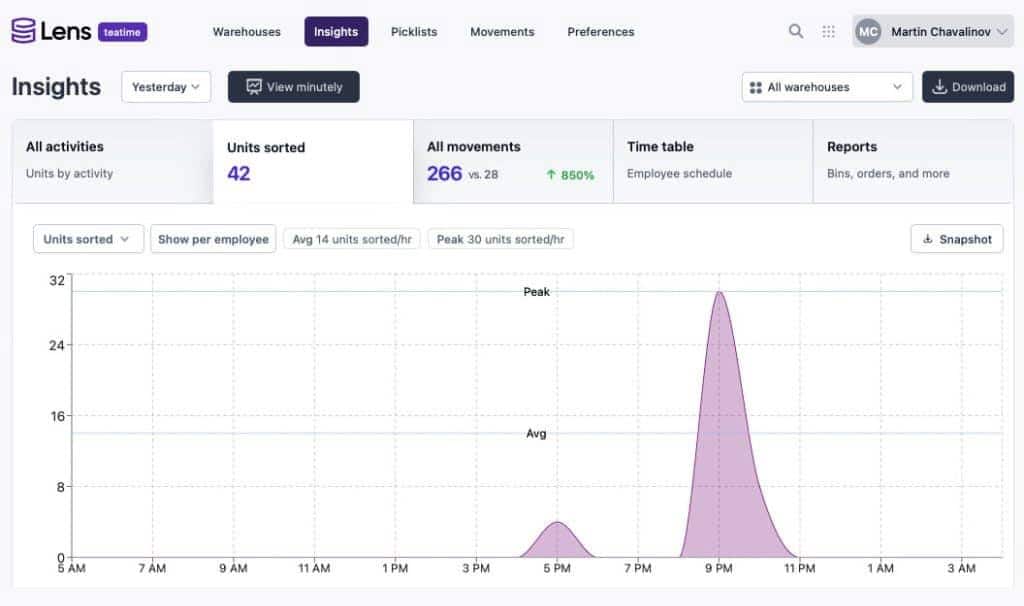
You can now tailor Insights charts by movement, as well as see their breakdown. We also added additional comparisons to previous movements’ history, which you can see by hovering your mouse over specific details. The charts can also show a list of products with the most activities, such as picking, shipping, sorting, receiving, and more. Each card with product information will include quantities and a link to easily switch to the relevant product page in the Skustack Admin portal.
Work Order Titles
We have added the option to assign a Title to your Work Orders in Skustack. This will help you better distinguish between them, and the title can be used to optimize your workflow.
Minute-Level Employee Distribution
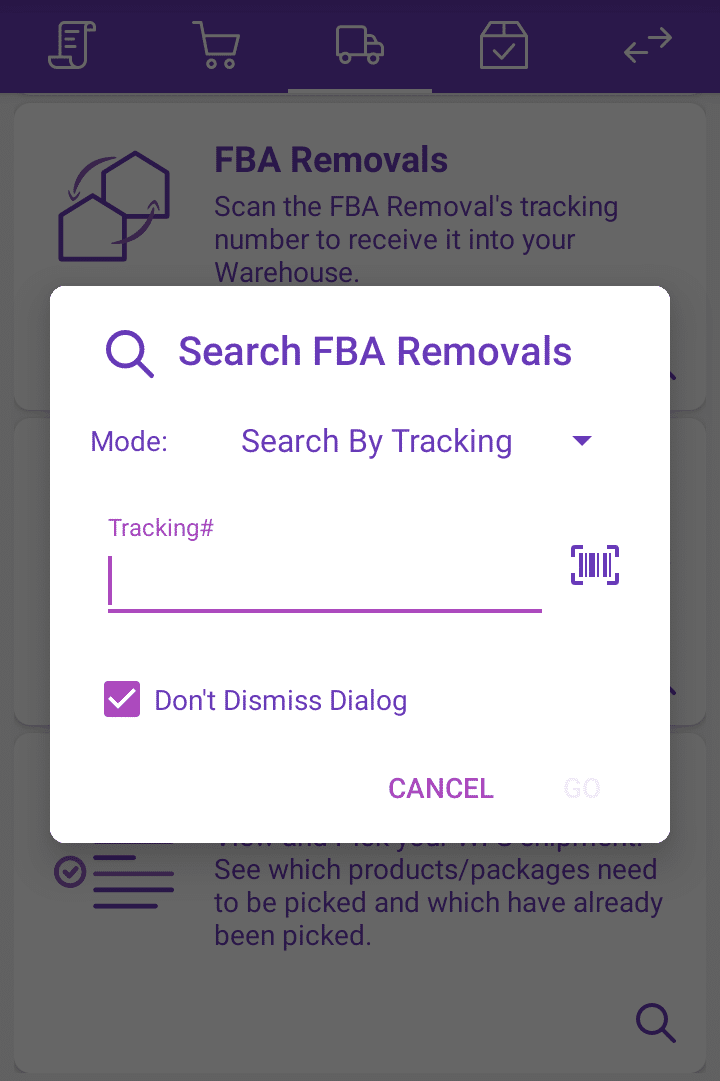
FBA Removal Pop-Up
When searching FBA Removals on the device, users can now select to Lock the pop-up to stay open. This allows users to continue searching Removals rather than finishing one, and following the steps to re-open the window to search for another.