Overstock Return Address
We have been informed by the Overstock Team, who recently acquired Bed Bath & Beyond, that there are some new requirements regarding the Ship From (Return to Sender) address on outbound shipping labels. We have added a setting in Shipbridge, to make sure overstock.com is not printed on the shipping label. Make sure that Use Overstock.com return address for all Overstock orders is disabled in the Shipping Tab of the Options in Shipbridge.
Estimated Shipping Cost
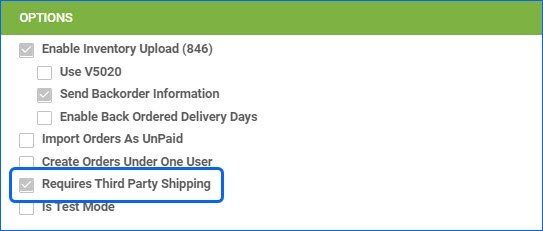
Sellercloud is able to use previous shipping data in order to provide an Estimated Shipping Cost for your orders as a placeholder value in your P&L reports. However, we have made an update to the logic, to make sure that any sales channels that are configured to use Third Party Shipping, will be excluded from this functionality, and they will be automatically checked on the “Predict Order Shipping Cost Exclusion” Company Settings page. We have done this in order to make sure that your Order Profit & Loss is accurate and that there are no unnecessary Shipping Costs associated with orders fulfilled through a third-party account.
Split Orders in Reports
When you Split an Order in Sellercloud, the original (Parent Order) retains all of the payment information and the true order total, while a full discount is applied to the Child Order, and it is marked as Fully Paid, so it can be fulfilled. While this logic remains, we have introduced some changes to how Split Orders are accounted for in our Profit and Loss (P&L), Order, and Sales Reports. Going forward, instead of displaying the 100% discount on the Child Orders, all Reports that include Order Payment information will factor in exactly how the Orders were split and distribute the payments and tax accordingly, giving you a precise breakdown and the most accurate results.


Walmart Marketplace Active Listings
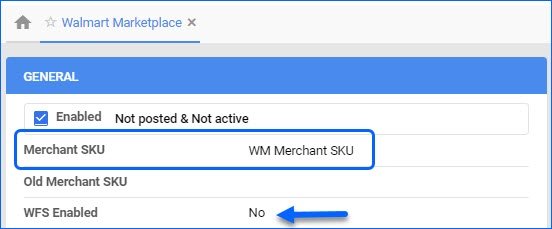
We have improved the way we process the Active Listing Report from Walmart Marketplace. In cases where a SKU comes in with the report, that matches the Walmart Marketplace Merchant SKU of multiple products in Sellercloud, we will prioritize the Merchant Fulfilled SKU, instead of the WFS-Enabled SKU. For example, if there is a new listing, the non-WFS SKU in Sellercloud will be updated to Posted and Active.
Case Quantity on Purchase Orders
Our Case Quantity Workflow allows you to configure Costs, Quantities, and Shipping Dimensions for products you sell and purchase per case. These can be set on two separate product levels: General and Vendor Product. We have tweaked the logic for Purchase Orders, to make sure that whenever you add an item to a Case Quantity-Enabled PO, we will prioritize the Vendor-level quantity, and only if there is none, we will use the general product case quantity configuration.
Houzz Variations
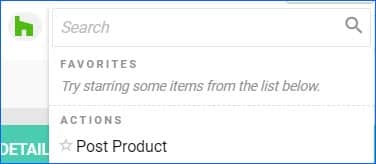
We have implemented some changes in the way Variations are posted to Houzz. You will need to configure the Matrix parent’s variation themes: Color, Size, Design, Configuration, and set up corresponding Variation Attributes on the children. After that, you can post the Parent SKU to Houzz, and the whole Matrix will be listed.
Customer Credit Calculation
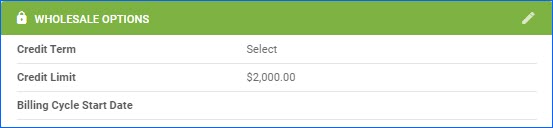
We have made some improvements to the way we calculate Customer Credit Deductions. Going forward, any Unpaid Orders will deduct from the credit extended to a Wholesale Customer. However, if there is a Return (RMA) for such an unpaid order, the Product Price of the Items Returned will be added back to the available credit extended to that Customer. 
Shopify Partial Tracking
We now support sending partial tracking for Shopify Orders. If you have to Split an Order that has been imported from Shopify, we will send back shipping information for each order separately, per package shipped.
FBA Planning Item Restriction
When you are creating an FBA Planning with PO via file import, Sellrcloud will skip any items that are in any way ineligible to send to FBA, including FBA restricted, discontinued, or any other reason. Instead of the whole Queued Job failing, the action will be successful for all eligible items.