Key points
- Fulfillment by Amazon (FBA) removals are becoming more frequent as Amazon tightens aging inventory and listing policies.
- Amazon FBA removal fees vary by item size, weight, and removal method, making cost visibility critical.
- Poor removal tracking can lead to lost inventory, accounting gaps, and unnecessary fees.
- Descartes Sellercloud helps sellers track, reconcile, and manage FBA removals in one centralized system.
Amazon has made several FBA policy changes in 2025 that directly affect how sellers manage excess and aging inventory. Shorter timelines for inactive listings, default liquidation settings, and automatic removals for long-stored inventory mean sellers now have less control and less time to react.
In this article, we explain what an Amazon FBA removal order is, why FBA removals are challenging, how Amazon FBA removal fees work, and how sellers can manage removals more efficiently using Sellercloud.
What are FBA removals?
An FBA removal order is a request to remove inventory from Amazon fulfillment centers. When a seller creates an Amazon FBA removal order, Amazon either returns the inventory to a specified address, disposes of it, donates it, or liquidates it, depending on the seller’s settings and eligibility.
Sellers typically create removal orders when inventory is aging, unsellable, overstocked, or no longer aligned with pricing or demand strategies. In 2025, removals became a more routine part of inventory management rather than an exception.
Why are FBA removals a challenge?

FBA removals introduce complexity because they sit at the intersection of inventory, accounting, and fulfillment workflows.
First, policy-driven removals are accelerating. Amazon now removes inventory without active listings after 60 days, automatically removes inventory stored over 270 days, and defaults unsold inventory to liquidation or donation in many cases. Sellers must monitor removal triggers more closely than before.
Second, visibility is limited inside Seller Central. Tracking what was requested, what shipped, what arrived, and what was lost or damaged often requires manually reconciling multiple reports.
Finally, removals impact cash flow and planning. Inventory in transit, unaccounted-for units, or delayed returns make forecasting and restocking decisions harder, especially for high-SKU or multichannel sellers.
What are the costs associated with FBA removals?
Understanding Amazon FBA removal fees is essential because removal costs can quietly erode margins if they are not factored into planning.
Amazon FBA removal fees explained
An Amazon FBA removal fee is charged per unit and is based on item size tier, shipping weight, and the removal method selected. Fees apply whether inventory is returned, disposed of, donated, or liquidated.
Because fees are assessed per unit, large or bulky items can generate significant costs if removed in high volume. This makes removal timing and inventory aging thresholds especially important.
Disposal vs return fees
Return removals typically cost more than disposal or donation. However, disposal may not make sense if inventory still has resale, refurbishment, or liquidation value outside Amazon.
Choosing the wrong removal option can result in unnecessary FBA removal fees or lost recovery opportunities.
Hidden and secondary costs
Beyond the direct Amazon FBA removal fee, sellers should account for:
- Storage fees incurred before removal.
- Delays between request and shipment.
- Inventory discrepancies during transit.
- Accounting efforts to reconcile missing units.
As storage and fulfillment costs have risen across marketplaces in 2025, removals are increasingly used as a cost-control strategy rather than a last resort.
How to plan and proactively manage FBA removals
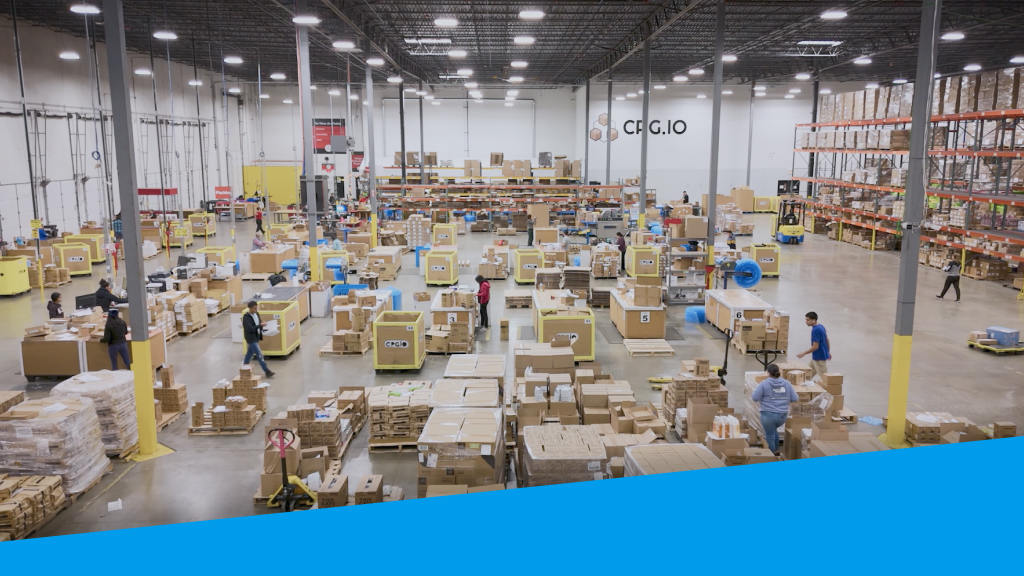
Reactive removals are expensive. Proactive removal planning is now a best practice.
Using FBA removal reports
Amazon provides removal-related reports that show which inventory is recommended for removal, what has already been removed, and the status of each request. These reports help sellers identify risk before fees escalate.
However, reports alone do not solve reconciliation challenges. Sellers still need a system to track removal orders alongside inventory, accounting, and restocking workflows.
Best practices for inventory control
Sellers who stay ahead of FBA removals usually follow a few consistent inventory management habits. Here are the four most vital:
- Review aging inventory regularly. Monitoring aging thresholds weekly helps catch slow-moving inventory before it becomes expensive to store or is automatically removed.
- Align removals with pricing and liquidation strategies. Returned inventory may make sense for some products, while disposal or liquidation can be more cost effective for others.
- Use automation where possible. Automated removal rules reduce manual oversight and help prevent inventory from sitting too long in Amazon fulfillment centers.
- Track removals as part of inventory planning. Removals should be monitored alongside stock levels, forecasting, and replenishment decisions, not treated as one-off tasks.
Maintaining this level of visibility and control becomes difficult without centralized software, especially as SKU counts and order volume grows.
How to execute an Amazon FBA removal order
Creating an Amazon FBA removal order usually starts in Seller Central, where sellers select the inventory they want removed, choose how it should be handled, and confirm quantities.
What happens after a removal is created?
Once submitted, Amazon processes removal orders over time. Shipments may be split across locations and delivered in multiple packages. Returned inventory may arrive weeks or months later, and discrepancies are not uncommon.
This gap between request and receipt is where many sellers lose visibility.
Managing listings before and after removal
Many sellers close or adjust listings before submitting removals to prevent accidental sales or relisting errors. After removal, returned inventory often needs to be inspected, relabeled, or redirected to other channels.
Automation and optimization tips for FBA removals
Amazon allows sellers to automate certain removals for unfulfillable or aging inventory. Automation reduces manual effort but also increases the importance of tracking, since removals may occur without direct action.
Strategic sellers use removals to:
- Reduce long-term storage exposure.
- Protect inventory performance metrics.
- Free up capital tied to slow-moving stock.
Automation works best when paired with visibility and reporting outside Seller Central.
How Descartes Sellercloud makes managing FBA removals easier
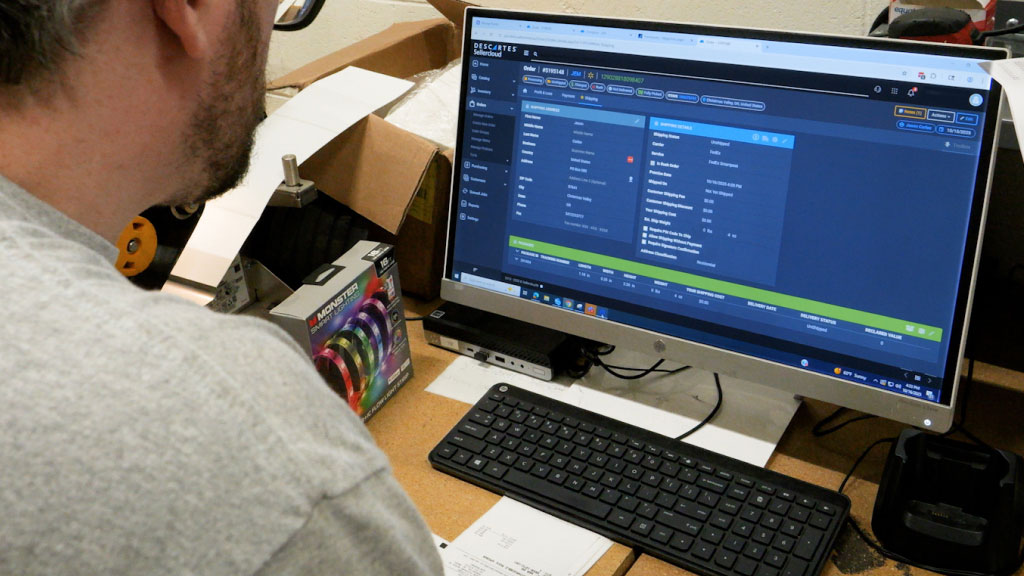
FBA removals are no longer occasional clean-up tasks. With Amazon’s 2025 policy changes and rising fulfillment costs, removals are now a core part of inventory strategy. Sellercloud gives sellers the visibility and control needed to manage Amazon FBA removal orders with confidence, without relying on disconnected reports or manual tracking.
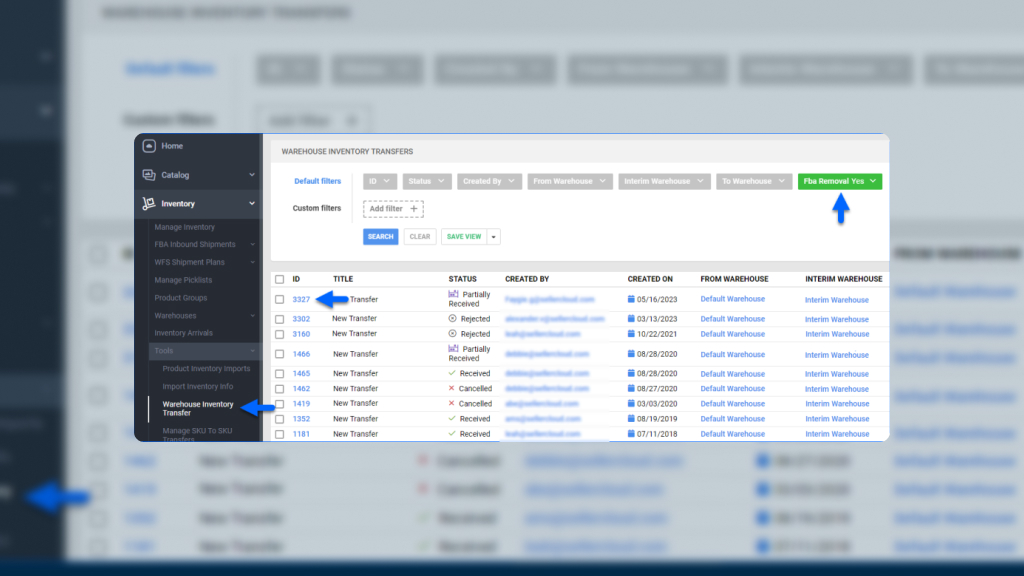
One of Sellercloud’s key advantages is visibility. Sellercloud is one of the only ecommerce platforms that pulls in and helps track removals coming back from Amazon, giving sellers clearer insight into what was requested versus what was actually received.
With Sellercloud, sellers can:
- Track Amazon FBA removal orders alongside inventory records.
- Monitor returned quantities and reconcile discrepancies.
- Maintain accurate stock counts across warehouses and channels.
- Reduce manual spreadsheet-based tracking.
- Improve accountability for lost or damaged inventory.
Sellercloud centralizes removal data so sellers are not relying solely on Seller Central reports to understand where inventory stands.
Learn more about FBA removals in Sellercloud here, and watch the video below to learn how to track FBA removals with inventory transfers with Sellercloud.
Struggling with FBA removals? Book a Sellercloud demo today to discover more about how Sellercloud can make them easier to manage.
FBA Removals FAQs
When should I create an FBA removal order?
Most sellers create removals when inventory is aging, unsellable, overstocked, or at risk of high storage fees. In 2025, sellers are also reacting to Amazon’s shorter inactive-listing timelines.
How long do Amazon FBA removals take?
Removal timelines vary. Some removals are processed quickly, while others take weeks or longer, depending on inventory location and volume.
How are Amazon FBA removal fees calculated?
Amazon FBA removal fees are charged per unit and are based on size tier, weight, and removal method.
Are FBA removal fees avoidable?
Not entirely. However, proactive inventory planning and better removal tracking can reduce unnecessary FBA removal fees and storage costs.
Related Posts